
Facebook and Instagram lead generation
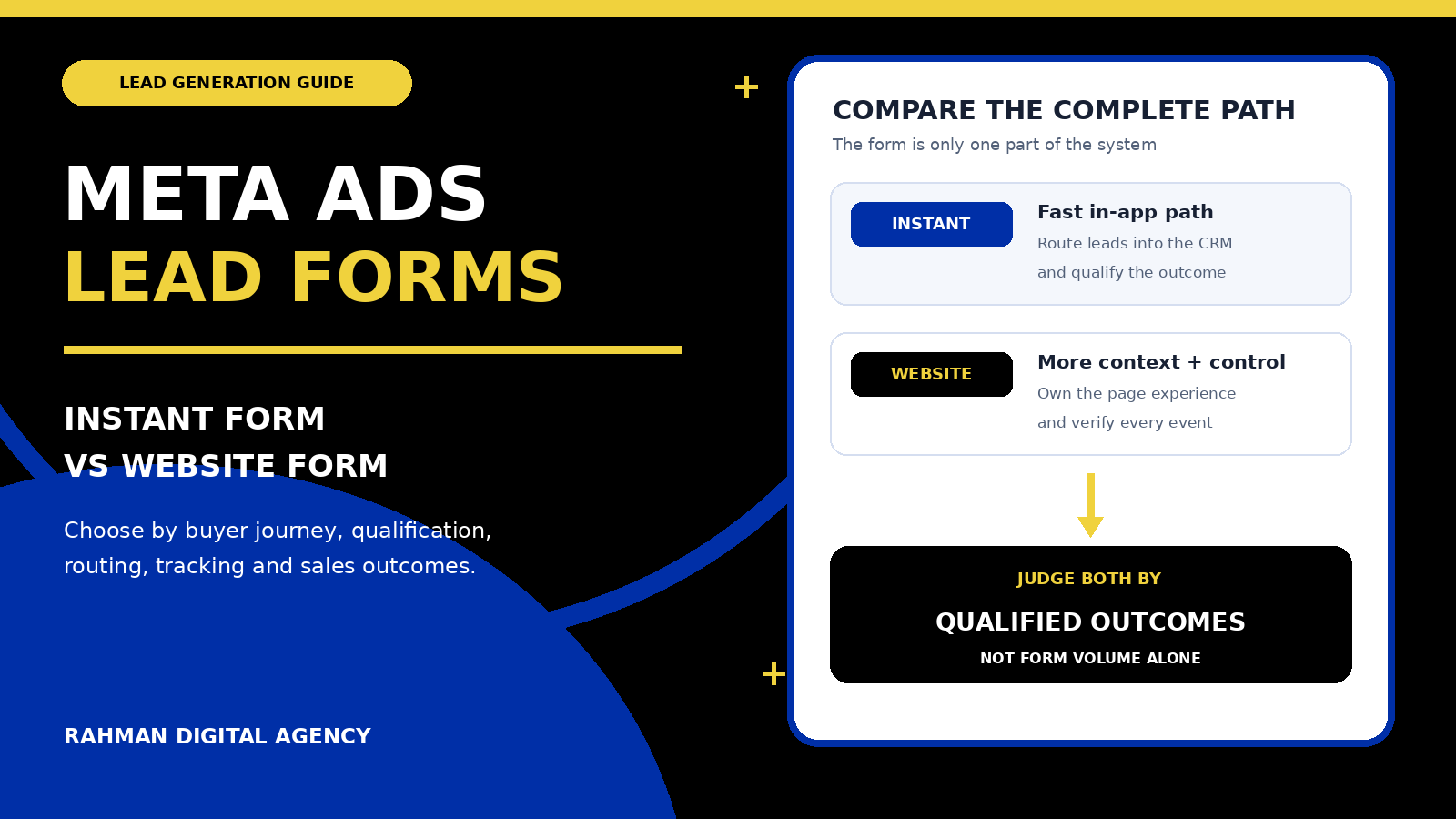
An instant form can make an enquiry quick. A website form can give a buyer more context and give your business more control. The right choice depends on the decision your prospect must make, the questions sales genuinely needs, and whether you can connect each submission to a qualified outcome.
Businesses running Facebook and Instagram campaigns often ask whether the ad should open a Meta instant form or send the visitor to a landing page. It sounds like a placement decision, but it is really a customer-journey and measurement decision.
The cheapest-looking lead is not automatically the most valuable. An easy form can create more responses that sales cannot use. A detailed landing page can educate and qualify, but it can also add unnecessary steps or expose a slow, confusing mobile experience. Good Facebook and Instagram Ads management starts by defining the business outcome, then designing the form path around it.
1. Understand the two Meta Ads lead paths
Meta instant form
The person taps the ad and completes a form within the Facebook or Instagram experience. Meta documents lead forms as mobile-friendly and able to use information a person has already shared with Facebook. The lead must then be retrieved, routed to the right team and followed up.
Website form
The ad sends the person to your site. The page can explain the offer, show proof, ask tailored questions, present a scheduler or quote flow, and record a website conversion. The business owns the page experience but must also maintain its speed, clarity, tracking and consent behaviour.
Neither route is inherently “high quality.” Quality comes from the fit between the audience, promise, questions, follow-up process and actual service. A clear offer with strong qualification can work in an instant form. A website form can still produce poor enquiries if the page attracts the wrong intent or asks vague questions.
2. Start with the decision the prospect must make
Before choosing a form type, describe the smallest sensible commitment. A prospect requesting a simple callback may need only a clear reason to respond, contact details and one or two fit questions. Someone enquiring about a complex software integration, high-value property project or regulated service may need to understand scope, process and limitations before a conversation is useful.
Map the decision using five practical questions:
- What is the offer? State exactly what the person receives after submitting—such as a consultation request, eligibility check, quote discussion or booked appointment.
- What must they understand first? Identify the service boundaries, location, minimum requirements, process or other facts that prevent a poor-fit enquiry.
- What must sales know? Ask only for information that changes routing, prioritisation or the first conversation.
- What happens next? Decide who receives the lead, how quickly it is handled and what the prospect is told to expect.
- How will quality be proved? Define qualified, booked, quoted and won stages so campaign decisions are based on more than a raw submission.
If you cannot answer those questions, changing the form destination will not solve the underlying problem. It may only move the same weak offer to a different surface.
3. Compare instant forms and website forms by business need
| Decision factor | Meta instant form | Website form |
|---|---|---|
| Completion path | Stays within the Meta app and can use information already provided to Facebook | Opens an external page that the business controls |
| Pre-submit education | Best kept concise; use clear form context and qualification questions | Can support detailed service information, examples, FAQs and proof |
| Question logic | Suitable for a focused set of form questions within the available format | Can support conditional forms, calculators, file uploads, booking or account logic |
| Experience ownership | Meta hosts the form experience | The business owns page speed, accessibility, copy, privacy and technical maintenance |
| Lead delivery | Requires reliable retrieval through a supported CRM connection, Webhooks, Graph API or an agreed manual process | Requires reliable form delivery, CRM mapping, spam controls and error monitoring |
| Measurement | Submission is available in Meta; CRM stages can provide downstream feedback | Website events can be measured with browser and server integrations, then joined to CRM outcomes |
| Best evaluation metric | Cost and rate of qualified opportunities or sales outcomes—not only cost per submitted form | |
4. When a Meta instant form is a sensible starting point
An instant form can fit when the first conversion is deliberately simple. Examples include requesting a callback, registering interest in a clearly defined service, asking for an eligibility conversation or collecting details for an event with uncomplicated requirements.
The route is especially practical when:
- The mobile user needs only a small amount of information before responding.
- The offer and next step can be explained honestly in a short form.
- A few carefully chosen questions can separate suitable and unsuitable enquiries.
- The business has a dependable way to move new leads into its CRM or sales queue.
- The sales team can respond within the expectation shown in the form.
- Downstream lead stages can be recorded and returned for campaign learning where appropriate.
Convenience is useful only when operations are ready. Meta’s developer documentation allows lead retrieval through Webhooks or bulk reads, and describes CRM integrations for lead ads. If a form submission remains inside a platform download for hours or days, the easier front-end experience has not created an effective sales process.
Use the form’s context section to explain who the service suits, what happens after submission and any important eligibility boundary. Ask questions that change the first conversation. A large set of questions copied from a sales discovery document can undermine the reason for using an instant form.
5. When a website form earns the extra click
A landing page becomes more valuable when the visitor needs to understand before they enquire. The page can show the service process, relevant work, verified credentials, technical requirements, location limits, pricing logic or a comparison that would be cramped inside an in-app form.
A website form is often the better candidate when:
- The service is complex, high-consideration or difficult to explain in a short ad and form.
- Qualification depends on conditional questions, a postcode check, appointment availability, file upload or quote logic.
- The prospect needs case-specific proof, a portfolio, detailed FAQs or clear exclusions.
- Several conversion choices matter, such as a call, scheduled meeting and written enquiry.
- The business needs full control of accessibility, branding and the surrounding information architecture.
- The site is already fast, mobile-friendly and able to report errors in the form journey.
Sending traffic to a website is not automatically more professional. The landing page must keep the promise made in the ad and make the next action obvious. A generic homepage, slow template or form that fails silently can waste a strong campaign. Use RDA’s guide to improving landing-page conversion for the underlying message-match principles, while adapting the page to paid social’s interruption-based journey.
6. Design qualification around sales decisions
Every question creates both information and friction. The aim is not the shortest possible form or the longest possible form; it is the smallest set of questions that helps the business respond correctly.
Useful categories may include:
- Service or solution required
- Location or service area
- Business type or customer type
- Current situation and desired outcome
- Relevant project range, where appropriate
- Timing or readiness
- Preferred contact method
- Consent for the stated follow-up
Do not ask for technical scope the prospect is unlikely to know. A website enquiry should not force someone to specify page counts, integrations or campaign architecture before discovery unless that information is genuinely required and the visible copy explains why. Equally, do not collect only a name and phone number when location or service fit is essential to deciding whether the lead can be served.
Write answer options around the business’s real decision rules. Then test the complete experience on a phone: ad, form or page, confirmation message, CRM record and first response.
7. Treat routing and follow-up as part of campaign design
A lead is not complete when a platform records a submission. It is complete when the right team receives enough information to take the promised next step.
For instant forms, decide whether leads arrive through a supported CRM partner, custom Webhook/Graph API integration or a documented bulk-read process. Meta notes that Webhooks can retrieve new leads in real time, while bulk reads can suit less frequent collection. The appropriate method depends on sales urgency and technical capacity.
For website forms, verify email delivery, CRM field mapping, duplicate handling, spam controls and the experience shown after both success and failure. Log the source campaign and creative without exposing unnecessary personal data in URLs or analytics fields.
Both routes need ownership. Record who monitors failures, who handles each lead type, how unanswered attempts are managed and how sales marks the result. The earlier guide to hiring a Facebook Ads management agency explains why access, responsibilities and handover should be explicit in a managed engagement.
8. Build measurement for lead quality, not platform volume
Use a shared lead-stage model across marketing and sales. A practical sequence might be:
- Submitted: the form reached the system successfully.
- Contactable: the details are valid and the person can be reached.
- Qualified: need, service, location and readiness meet the agreed rules.
- Meaningful next step: an appointment, assessment, proposal or another relevant action occurs.
- Won outcome: the agreed sales milestone is verified in the CRM.
For instant forms, Meta documents a Conversions API for CRM integration that can send down-funnel events from the CRM back to Meta. For website forms, Meta’s Conversions API can connect website and CRM event data to Meta systems. If browser Pixel and server events report the same action, Meta recommends matching event names and event IDs so duplicate events can be handled correctly.
Google Analytics also defines a recommended generate_lead event for the point at which a lead is generated. Keep analytics naming consistent, but do not assume a website analytics event proves lead quality. Join it to CRM outcomes and check that test submissions, staff activity and duplicates are not inflating reports. RDA’s GA4 and GTM conversion tracking guide covers the wider measurement structure, while a managed GTM setup can help when implementation needs specialist support.
Decision rule: compare each route on the same downstream outcome. If instant forms produce more submissions but fewer qualified opportunities, that matters. If a website route creates fewer submissions but more sales—or vice versa—that matters. The winning path is the one that contributes the best useful outcome within the business’s capacity and economics.
9. Run a fair instant-form versus website test
A comparison is useful only when the two routes promise the same service to a reasonably comparable audience. Do not compare a broad instant-form campaign with a retargeting landing-page campaign and attribute every difference to the form.
Before launch, align the offer, creative concept, geography, audience exclusions, sales hours and qualification definition. Give both routes a clear confirmation message and the same service-level expectation. Check that CRM source fields distinguish the paths.
During the test, review:
- Delivered impressions and clicks, to understand whether distribution differs.
- Completed forms and obvious invalid or duplicate submissions.
- Contact rate and time to first meaningful response.
- Qualified-lead rate using one written definition.
- Appointments, proposals or other meaningful next steps.
- Won outcomes and revenue where the sales cycle allows.
- Operational effort required to process each route.
Do not declare a permanent winner from a handful of leads. The amount of evidence needed depends on lead volume, sales cycle and the cost of a wrong decision. Record what changed and avoid altering audience, creative, form questions and follow-up at the same time unless the test is deliberately evaluating the complete system.
10. Protect privacy and account control
Collect only information needed for the stated service and follow-up. Meta’s Lead Ads Terms place responsibilities on advertisers using lead-generation features, including using lead information for the disclosed purpose and handling required notices and consent. Meta’s Business Tools Terms also describe notice and consent responsibilities for technologies such as the Meta Pixel and Conversions API.
Requirements differ by location, data type and implementation. A platform feature is not a substitute for an appropriate privacy notice, consent mechanism or professional advice. Make retention, access and deletion responsibilities clear across the website, CRM, integration tools and agency relationship.
Keep business ownership of the Meta Business Portfolio, ad account, Pixel or dataset, domain, landing page, CRM connection and documentation. If an external partner builds the system, require a tested handover rather than access that disappears when the relationship ends. Include tracking, creative and software costs when you plan a practical digital marketing budget.
11. Launch checklist
Offer and route
Confirm the exact service, ideal prospect, form destination, questions, next step and promise shown in the ad.
Delivery
Submit test leads on desktop and mobile. Confirm CRM fields, owner assignment, alerts, duplicates and failure handling.
Measurement
Verify submitted, qualified and won stages. Test browser/server deduplication and source attribution where used.
Governance
Review access, notices, consent behaviour, data minimisation, retention, change logs and handover documentation.
After launch, inspect real lead conversations. Form reports show what people submitted; sales feedback explains whether the questions, promise and next step matched reality. Use both when deciding whether to simplify, add context, change qualification or move between instant and website forms.
Frequently asked questions
Are Meta instant forms always cheaper than website forms?
No universal result should be assumed. An in-app form removes the website visit, but campaign delivery, offer, audience, creative and form design all affect cost. Compare cost per qualified outcome, not just the displayed cost per lead.
Do website forms always produce better-quality leads?
No. A useful landing page can educate and qualify, but a confusing page or weak offer can still attract poor-fit enquiries. Quality must be defined and measured in the CRM.
Should a service business use both routes?
It can, when both routes are technically reliable and the business can compare them fairly. A hybrid approach may use instant forms for a straightforward offer and website forms for higher-consideration services, or test both for the same offer before choosing.
How many questions should a lead form include?
Use the fewest questions that change routing, qualification or the first conversation. Remove questions collected out of habit, and explain sensitive or potentially intrusive questions when they are genuinely necessary.
Does Conversions API replace the Meta Pixel or consent requirements?
No. Meta documents Conversions API as a connection for marketing event data and provides guidance for using it alongside Pixel events, including deduplication. It does not remove notice, consent or other privacy responsibilities.
Authoritative platform references
- Meta for Developers: Lead Ads
- Meta for Developers: Retrieving Leads
- Meta for Developers: Conversions API
- Meta for Developers: Handling Duplicate Pixel and Conversions API Events
- Meta for Developers: Conversions API for CRM integration
- Meta: Lead Ads Terms
- Meta: Business Tools Terms
- Google Analytics: Recommended events
- Google for Developers: Set up consent mode on websites
Need a lead path built around qualified outcomes?
Rahman Digital Agency can review your Meta Ads offer, instant or website form journey, CRM routing and conversion measurement, then recommend a practical test based on your sales process.