
Small-business readiness guide
An AI automation audit for small business should answer a harder question than “Which tool should we buy?” It should show which process is worth automating, what could go wrong, who remains accountable, what evidence proves the pilot works, and how the business can stop or reverse it safely.
What an AI automation audit should cover
A useful audit is a business-and-operations review before implementation. It is not a software demo, a prompt-writing exercise, or a promise that artificial intelligence will fix an unclear process. The output should help an owner decide what to automate now, what to improve first, and what not to automate.
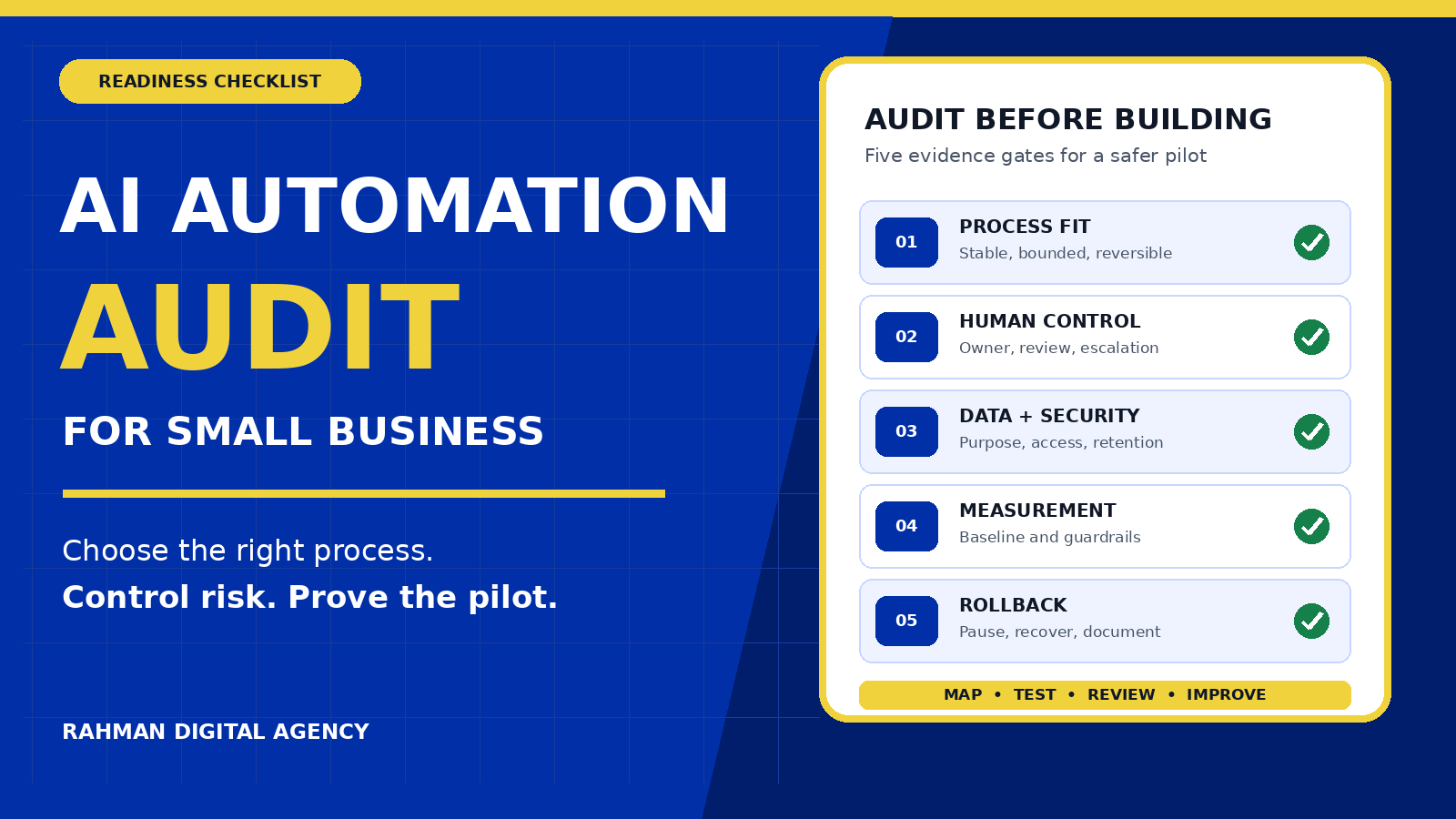
For a small business, the audit normally covers five connected layers:
Volume, repetition, rule clarity, handoffs, exceptions and consequences when the workflow is wrong.
Ownership, approval points, escalation, training, override rights and the customer experience.
Source quality, permissions, sensitivity, retention, access and whether records are usable.
APIs, authentication, integration limits, monitoring, costs, dependencies and rollback.
Baseline metrics, acceptance criteria, logs, exceptions, change records and review dates.
Financial, operational, privacy, security, legal, reputational and customer-impact scenarios.
This structure follows the same practical logic as established guidance. The NIST AI Risk Management Framework organises risk work around Govern, Map, Measure and Manage. The U.S. Small Business Administration’s AI guidance also emphasises identifying suitable uses, considering benefits and risks, protecting sensitive information and establishing responsible use.
The 10-part AI automation readiness scorecard
Score a candidate workflow from 0 to 2 against each factor: 0 = not ready, 1 = partly ready, and 2 = ready with evidence. The total is a prioritisation aid—not a safety or compliance certificate.
| Factor | Question to test | Evidence to request |
|---|---|---|
| 1. Clear outcome | Can the team state the desired result without naming a tool? | One-sentence outcome and scope boundary |
| 2. Stable process | Is the current workflow documented and reasonably consistent? | Process map, sample cases and exception list |
| 3. Sufficient volume | Does the task happen often enough to justify build and maintenance effort? | Monthly case volume and time per case |
| 4. Rule clarity | Can a reviewer explain ordinary decisions and escalation rules? | Decision table and approval thresholds |
| 5. Reversible action | Can an incorrect output be stopped, corrected or rolled back? | Pause switch, rollback steps and owner |
| 6. Usable data | Are required records accurate, complete, current and permitted for this purpose? | Sample audit, field definitions and permissions |
| 7. Integration access | Can systems exchange data reliably without shared passwords or manual copying? | API availability, authentication model and limits |
| 8. Human control | Who reviews sensitive, unusual, high-value or low-confidence cases? | Approval matrix and escalation route |
| 9. Measurable baseline | Can the business compare the pilot with current performance? | Time, cost, error, completion and exception rates |
| 10. Accountable owner | Who owns results, incidents, vendor decisions and ongoing review? | Named process owner and review calendar |
0–8 Fix the process, data or ownership before building. 9–15 Consider a narrow assisted pilot with close review. 16–20 The workflow may be ready for a controlled pilot, subject to risk, legal, privacy and security review appropriate to the use case.
Do not average away a critical failure. A workflow can score well overall and still be unsuitable if it handles sensitive data without authority, makes high-consequence decisions without review, or cannot be stopped when an integration fails.
1. Choose a process, not an impressive tool
The strongest first project is usually repetitive, bounded, observable and reversible. Examples include classifying a low-risk inbound request, drafting an internal summary for review, routing a lead according to documented rules, reminding staff about incomplete records, or assembling a scheduled operational report.
A weak candidate has an unstable process, rare volume, undefined ownership, undocumented exceptions, or consequences that are difficult to reverse. Automating a confusing workflow can make the confusion faster and less visible.
Map the current workflow before designing the future one
- Write the trigger: what event starts the work?
- List every required input and its source.
- Record the ordinary decisions and the person who makes them.
- Collect at least ten normal cases and several difficult exceptions.
- Identify every customer-facing message or irreversible action.
- Measure waiting time, active work time and rework.
- Define where the automated workflow must stop and request help.
If the goal is primarily time reduction, compare this audit with our earlier guide on how AI automation can reduce repetitive small-business work. The audit described here has a different purpose: deciding whether a specific process is ready and what controls it requires.
2. Keep a named human in control
“Human in the loop” is useful only when the loop is specific. Someone must know what they are reviewing, when review is mandatory, how much context they receive, and what to do when the system is uncertain or wrong.
Define at least four roles:
- Process owner: accountable for the business outcome and customer impact.
- System owner: accountable for integrations, credentials, monitoring and changes.
- Reviewer: approves defined outputs or exceptions before action.
- Incident contact: can pause the workflow, contain damage and coordinate recovery.
Set explicit approval gates for high-value purchases, financial changes, contract or legal communications, employment decisions, sensitive personal data, account changes and messages that could materially affect a customer. A lower-risk internal draft may need sampling rather than approval on every case, but the owner should document that decision.
3. Review privacy, security and vendor boundaries
Before connecting a model or automation platform, inventory the exact data fields that will move through it. “Customer data” is too vague. Name the fields: email address, order value, message content, health information, payment status, uploaded files, or internal notes.
The UK Information Commissioner’s Office guidance on AI and data protection covers accountability, lawful basis, fairness, transparency, security, data minimisation and individual rights. Requirements differ by jurisdiction and use case, so businesses should obtain appropriate professional advice rather than treating a tool’s marketing page as a compliance decision.
Questions for each system and vendor
- What data is sent, and is every field necessary for the stated purpose?
- Where is the data processed and stored?
- Is input used to train or improve a shared model, and can that use be disabled?
- How long are inputs, outputs and logs retained?
- Who can access production data and administrative settings?
- Which credentials are used, and can permissions be limited to the minimum required?
- How are deletion, access requests, incidents and vendor termination handled?
- Can the business export its configuration, logs and data before leaving?
The UK AI Cyber Security Code of Practice provides lifecycle-oriented security guidance. For a small-business pilot, practical controls include least-privilege access, separate test and production credentials, protected secrets, dependency review, logging, an incident route and a tested shutdown procedure.
4. Test the data before trusting the workflow
Automation quality depends on source quality. A workflow that reads duplicated contacts, inconsistent statuses or outdated product data may produce polished but unreliable results.
The UK Government Data Quality Framework describes dimensions including accuracy, completeness, uniqueness, consistency, timeliness and validity. Translate them into concrete tests:
| Dimension | Small-business test | Example failure |
|---|---|---|
| Accuracy | Compare a sample with an authoritative source. | The CRM shows an old customer status. |
| Completeness | Measure missing required fields. | Leads lack a service area or consent record. |
| Uniqueness | Check for duplicate people, orders or tasks. | The same enquiry triggers two follow-ups. |
| Consistency | Compare formats and definitions across systems. | “Closed” means won in one tool and finished in another. |
| Timeliness | Measure delay between the real event and the record. | Stock or appointment availability is stale. |
| Validity | Test values against permitted formats and ranges. | A date, email or amount cannot be processed safely. |
Assign an owner to each critical field. If no one can explain where a value comes from, when it changes or how an error is corrected, the automation is not ready to depend on it.
5. Map integrations, limits and failure modes
A reliable automation is more than a model response. It may depend on a website form, CRM, email provider, calendar, file store, payment system, messaging platform and reporting database. Each connection adds permissions, limits and failure states.
Create a simple system diagram showing the trigger, data movement, decision points, outputs and logs. Then ask what happens if each component is slow, unavailable, duplicated or returns an unexpected format.
Minimum failure-mode checklist
- Duplicate event: prevent a second message, invoice or CRM record.
- Missing field: stop or route to review rather than inventing a value.
- Timeout: retry only when the action is safe to repeat.
- Partial success: record which steps completed before recovery begins.
- Permission failure: alert an owner without exposing credentials in logs.
- Unexpected output: validate structure and allowed values before downstream action.
- Vendor outage: define whether work waits, falls back to manual handling or is cancelled.
- Bad release: keep a known-good version and written rollback steps.
Related implementation guides show how these principles apply to particular workflows, including lead qualification and routing, client reporting, and client onboarding. Use them as workflow examples, not as permission to copy a design without adapting its controls.
6. Record a baseline before the pilot
If the business does not measure the current process, it cannot distinguish improvement from novelty. Take a representative sample before implementation and record:
- Cases completed per week or month
- Median active work time and waiting time
- Error, rework and exception rates
- Completion or response time
- Staff effort and direct operating cost
- Customer complaints, corrections or drop-offs
- Revenue or conversion outcomes only where attribution is defensible
Choose metrics that match the workflow. A lead-routing pilot should not be judged only by the number of messages sent. It may need routing accuracy, time to first response, duplicate rate, qualification completeness, opted-out contact rate and qualified-opportunity outcomes.
Define a guardrail beside every success metric. Faster processing is not an improvement if corrections, complaints or privacy risk increase.
7. Design a reversible pilot with acceptance criteria
Start with a limited scope: one process, one team, one data source, one output channel and a defined review period. Keep the manual route available until the automated route has evidence.
Write acceptance criteria before launch
Example for an internal enquiry-classification pilot:
- At least 95% of required fields reach the review queue intact.
- No customer message is sent without a named reviewer’s approval.
- Every low-confidence or unsupported category is routed to manual review.
- No duplicate task is created for the same source enquiry.
- The owner receives an alert within five minutes of a stopped workflow.
- The team can disable the automation and resume the manual process within fifteen minutes.
These are illustrative thresholds, not universal standards. Set values from the process risk, current baseline and business tolerance. Test normal cases, edge cases, malformed inputs, permission failures and duplicate events.
Use versioned test cases. When the prompt, model, rule, integration or source schema changes, rerun the same set. This turns “it looked fine in a demo” into reproducible evidence.
8. Build an audit evidence pack
The OECD AI Principles emphasise accountability and traceability across the AI lifecycle. For a small business, traceability does not require an enormous governance programme. It does require enough evidence to understand what happened and respond when something goes wrong.
Keep a practical evidence pack containing:
- The approved purpose, owner, scope and prohibited uses
- A current process and data-flow map
- Vendor and integration inventory
- Data-field list, access roles and retention decisions
- Baseline metrics and pilot acceptance criteria
- Versioned prompts, rules, schemas and workflow exports
- Test cases, expected results and actual results
- Approval, exception and incident logs
- Known limitations and user instructions
- Rollback procedure and proof that it was tested
- Review date and change owner
Logs should be useful without becoming a new privacy or security problem. Avoid recording secrets, unnecessary personal data or complete payloads when an event ID and safe diagnostic information are enough.
Which workflows should a small business audit first?
Start where commercial value and operational clarity overlap. The following order is often more defensible than starting with the most visible customer-facing decision.
| Candidate | Why it may fit | Main audit concern |
|---|---|---|
| Internal reporting assembly | Repeatable, observable and usually reversible | Source freshness, definitions and misleading summaries |
| Lead routing for review | Clear fields and measurable response time | Bias, missing context, duplicates and missed high-value cases |
| Follow-up reminders | High frequency with defined timing | Consent, suppression, tone and over-messaging |
| Document or call summaries | Useful draft output with human verification | Confidentiality, omissions and invented details |
| Invoice-status reminders | Rules may be clear and outcomes measurable | Incorrect balances, disputes and customer escalation |
| High-impact decisions | Potentially valuable but consequence is serious | Usually unsuitable as a first autonomous project; requires deeper review |
Red flags that should pause implementation
- The project is defined as “add AI” rather than solve a measured problem.
- No one owns the current process or the future output.
- The team cannot produce representative normal and exception cases.
- A vendor needs broad administrator access without a clear reason.
- Sensitive or personal data will be copied before purpose, permission and retention are reviewed.
- The proposed workflow can send, pay, delete, approve or change accounts with no human gate.
- There is no duplicate protection, output validation or alerting.
- Success is described only as hours saved, with no quality or risk guardrail.
- The business cannot export configuration, logs or a rollback version.
- A supplier promises perfect accuracy, guaranteed savings or automatic compliance.
A practical 30-day AI automation audit plan
Week 1: discover and measure
Select one workflow. Interview the people who perform and receive the work. Map inputs, decisions, handoffs, exceptions and outputs. Measure a baseline from real cases. List candidate risks and data fields.
Week 2: design controls
Define the owner, reviewer, approval gates, access model, retention, validation rules, alerts and rollback. Review vendor terms and the need for privacy, legal or security advice. Decide what the pilot is explicitly prohibited from doing.
Week 3: build in a safe environment
Use test data or appropriately protected samples. Keep secrets outside workflow code. Validate every output before action. Create versioned test cases for normal, edge and failure scenarios. Document the known-good configuration.
Week 4: run and review
Operate the pilot with limited scope and human review. Compare it with the baseline. Record corrections, exceptions, incidents and staff feedback. Continue, revise or stop based on the criteria agreed before launch.
Frequently asked questions
How long does an AI automation audit take?
A narrow workflow can often be mapped and assessed within days, while a multi-system or sensitive-data process requires longer. The schedule should depend on scope, evidence availability, risk and the number of people and systems involved—not a fixed marketing promise.
Does a small business need AI governance?
It needs governance proportionate to the use. At minimum, define purpose, ownership, permitted data, access, review, monitoring, incident handling and change control. A low-risk internal drafting aid needs less control than a workflow affecting customers, money, employment or sensitive data.
What is the best first AI automation?
There is no universal best workflow. A strong first candidate is frequent, bounded, measurable, reversible and supported by usable data. Internal assistance with review is often safer than an autonomous high-impact customer action.
Can the audit prove ROI before implementation?
No. It can establish a baseline, estimate implementation and operating costs, identify assumptions and define a pilot that measures actual results. Treat forecasts as scenarios, not guarantees.
Is this a legal or compliance audit?
No. This operational readiness checklist does not replace legal, privacy, cybersecurity, employment or sector-specific professional advice. Obtain the review appropriate to the data, jurisdiction and consequences of the planned use.
Turn one candidate workflow into a safe pilot roadmap
Rahman Digital Agency can help map the process, prioritise controls, design the integration, define test evidence and plan a reversible pilot. Review our AI Automation Services, then share the workflow you want to assess.
Request an AI automation readiness discussionThis readiness checklist is educational, not legal, privacy, cybersecurity or regulatory advice. Obtain appropriate professional advice before automating sensitive-data or regulated workflows.