
Posted on

How to Remove Negative Keywords in Google Ads Without Reopening Wasted Spend

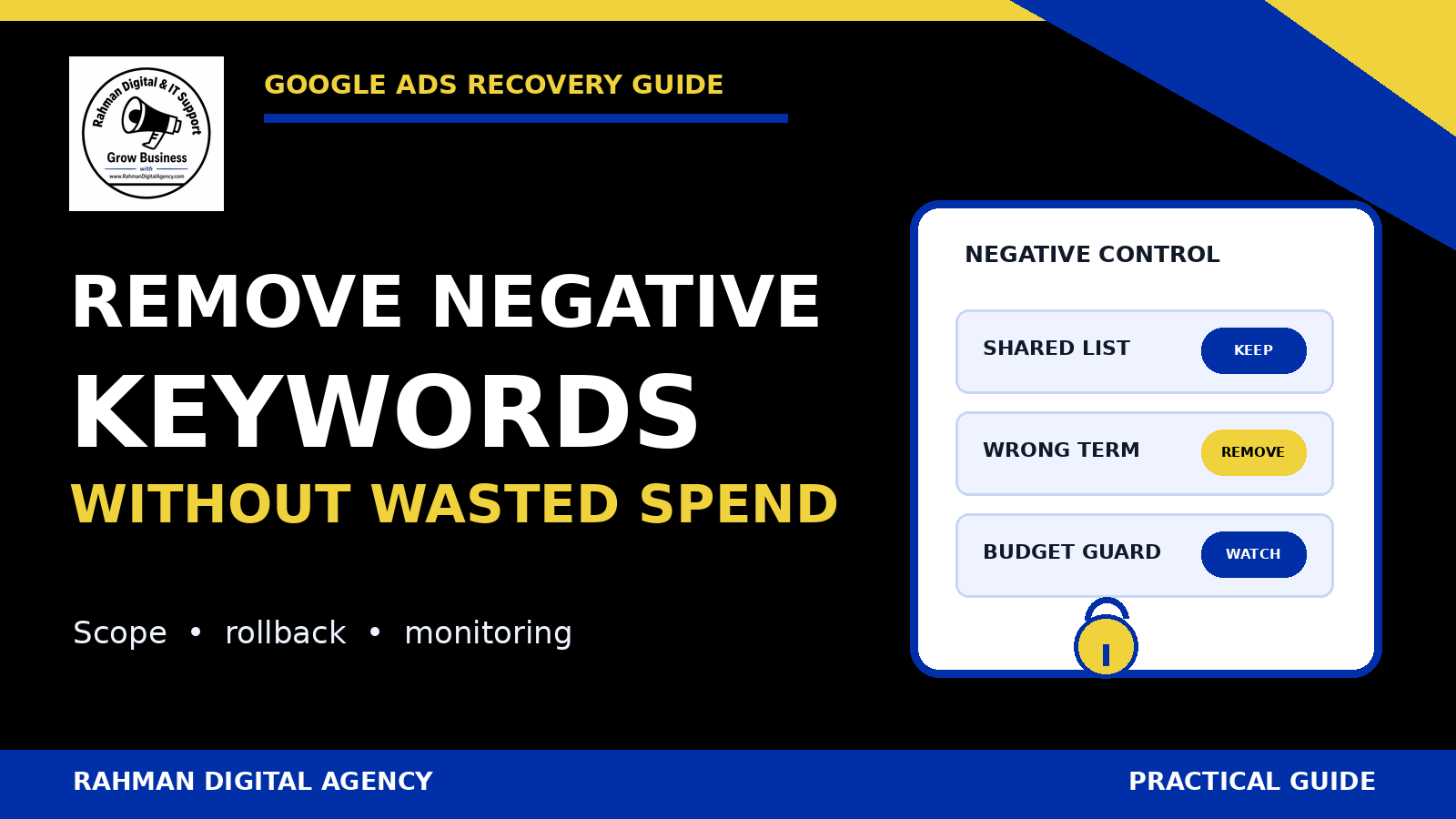
Google Ads negative keyword removal control panel showing shared-list, rollback and budget safeguards

If you need to remove negative keywords in Google Ads because a valuable search has been blocked, the safest response is not to delete every exclusion. First identify exactly where the negative lives, prove that it conflicts with a qualified query, change the narrowest possible control, and monitor the traffic that becomes eligible again.

The short answer

Remove one negative only after confirming its scope. A negative may belong to an ad group, campaign, shared list, account-level list, or a control available to a specific campaign type. Deleting a term from a shared list can affect every attached campaign; detaching that list changes only the selected campaign. Save the original text, match type, scope and list membership before editing. Then use a limited observation window and the search terms report to catch irrelevant traffic before it becomes sustained waste.

Some people still search “remove negative keywords adwords,” using Google Ads’ former product name. The operational question is current: an exclusion that once protected budget may now suppress a new service, a high-intent location, a brand term, or a legitimate long-tail query. This guide handles that recovery problem. For the fundamentals of finding and adding exclusions, start with RDA’s broader guide to negative keywords and wasted spend.

Diagnose the block before changing it

A drop in impressions does not prove that a negative keyword is responsible. Budget limits, targeting, policy status, bids, ad rank, search demand, location, schedule, keyword status and campaign settings can all affect eligibility. Begin with a specific example: the search concept you expected to serve, the campaign or ad group that should have served it, and the business reason it is valuable.

Use a qualified-query test

Write down the blocked query or query family and classify its intent. Is it a product you sell, a service you can fulfil, a location you target, or a problem your landing page answers? Compare it with real lead or sales evidence rather than treating every relevant-looking phrase as valuable.

Then inspect the Google Ads search terms report for nearby queries. The report can show which terms actually triggered ads, but it may not list every search. A missing term is therefore a clue, not conclusive proof of a negative conflict.

Look for the exact conflict and the semantic conflict

An obvious conflict is easy to spot: a campaign selling “commercial cleaning” contains the negative commercial. Harder cases involve a multiword phrase, a close conceptual conflict, a shared list inherited from an older strategy, or an exclusion added at a broader scope than intended.

  • Compare the desired query with negatives at both ad-group and campaign level.
  • List every shared negative-keyword list attached to the campaign.
  • Check whether an account-level negative applies to the campaign type in question.
  • For Performance Max, inspect the controls actually available in the current account and distinguish negative keywords from brand exclusions.
  • Review change history to identify who added or attached the control, when it changed, and what problem it was meant to solve.
Do not use removal as a diagnostic shortcut. If you cannot state which qualified query is blocked and which negative causes the conflict, keep investigating. A broad deletion can turn uncertainty into uncontrolled eligibility.

Map the negative’s scope and owner

The same text can appear in several places. Its location determines the blast radius of a change. Record the negative text exactly, including punctuation or match notation shown in the account, and identify its owner before touching it.

Ad-group negative

Controls eligibility only within one ad group. Removing it is the narrowest common recovery when a query belongs in that ad group but should remain excluded elsewhere.

Campaign negative

Applies across the campaign. Removal can reopen traffic for every ad group in that campaign, so check whether a more precise ad-group structure can contain the change.

Shared negative list

A centrally managed list can be attached to multiple campaigns. Editing a list item affects all attached campaigns; detaching the list affects only the campaign from which it is detached.

Account-level control

Designed for broad account protection across eligible inventory. Treat removal as a governance change, not a routine keyword edit, because its reach can exceed one campaign.

Create a small dependency table before the edit: campaign, ad group, list, negative, intended purpose, affected query, owner and rollback action. This takes minutes and prevents the common mistake of removing the right text from the wrong scope.

How to remove an individual negative safely

Google Ads interfaces change, and menu labels can differ by campaign type and account. In a standard Search campaign, navigate to the campaign or ad group’s negative-keyword view, filter or search for the exact term, select only that row, and use the remove action. Confirm that the interface shows the intended level before saving. Google’s current help documentation should be the final reference for the exact UI path.

1Capture the before-state

Export or record the negative text, displayed match type, level, campaign, ad group, shared-list membership, date, reason and current performance context. Take a screenshot without exposing customer data. Note the rollback text exactly; do not rely on memory.

2Choose the smallest correction

If one ad group should receive the query, remove the conflicting ad-group negative there rather than changing an account-wide control. If the campaign should keep most of a shared list but one list item is wrong everywhere, edit that one item. If the list is unsuitable only for one campaign, detach it from that campaign and rebuild only the necessary local protections.

3Check for duplicate controls

Removing one row may not restore eligibility if the same or overlapping exclusion also exists at campaign, list or account level. Repeat the scope search after saving. Also check other targeting or eligibility settings before concluding that the removal failed.

4Log the change

Record who approved it, the hypothesis, the exact scope, the time, the metrics to inspect and the rollback threshold. Change history is useful, but an operating log explains intent. That distinction matters when a future manager sees the same negative and is tempted to add it back.

Eligibility is not delivery. Removing a negative makes some searches potentially eligible. It does not guarantee an impression, click, conversion, or a particular cost. Other auction and campaign controls still apply.

Shared lists: edit the item or detach the list?

Shared negative-keyword lists are efficient because one maintained list can protect several campaigns. That efficiency also increases the risk of accidental reopening. There are two materially different actions.

ActionWhat changesUse whenMain risk
Remove one negative from the shared listThe item disappears for every campaign still using that list.The exclusion is wrong for all attached campaigns.Several campaigns become eligible for traffic at once.
Detach the shared list from one campaignThe list remains unchanged for other campaigns; one campaign stops inheriting all its items.The list no longer fits one campaign’s strategy.The campaign loses every protection in the list, not only the disputed term.
Keep the list and redesign local structureNo immediate shared-list change; campaign/ad-group controls are revised deliberately.The conflict can be solved with tighter ownership.Complexity or contradictory controls if documentation is weak.
Create a purpose-specific replacement listA new, narrower shared control is attached after review.The old list mixes universal exclusions with campaign-specific ones.Attachment errors or temporary gaps during migration.

Before detaching a list, export every item and decide which exclusions must remain locally. Before editing a list, inventory all attached campaigns and their recent spend. Google provides separate help procedures for editing list contents and removing a list from a campaign because they are not equivalent operations.

Delete an unused list only after detachment is verified

Deleting a shared list for tidiness should be the last step, not the recovery step. First confirm it is detached where intended, preserve its contents and ownership record, and verify that no campaign depends on it. Renaming a list with its purpose and owner is often safer than immediate deletion while the change is being observed.

Account-level negatives and Performance Max need separate treatment

Do not assume that the standard Search campaign workflow applies everywhere. Google documents account-level negative keywords as a separate control, and support for campaign types or account experiences may change. A removal at this scope can expose multiple eligible campaigns, so require a broader inventory and approval.

Performance Max also combines inventory and automation differently from a standard Search campaign. Negative-keyword controls, brand exclusions and other suitability controls are not interchangeable. A brand exclusion is not simply a negative keyword with another name. Confirm which mechanism is producing the restriction, which inventory it affects, and whether the control is account-level or campaign-specific before removing anything.

  • Use current Google documentation and the controls visible in the account.
  • Separate brand-navigation intent from generic commercial intent.
  • Check whether the requested change should apply to Search, Shopping inventory, Performance Max, or all eligible campaigns.
  • Preserve sensitive or universal exclusions unless there is evidence and approval for an account-wide change.
  • Escalate uncertainty rather than using a broad account control as a temporary experiment.

Reopen traffic without reopening wasted spend

The work is not finished when the negative disappears. The next task is to observe what becomes eligible and distinguish useful recovery from irrelevant expansion. Use a monitoring window appropriate to normal conversion lag and volume; do not declare success after a handful of impressions.

Define a before-and-after view

Save the pre-change date range and compare it with a post-change period that accounts for seasonality, budget changes, promotions and other campaign edits. Track impressions and clicks for the intended query family, but also review spend, conversion quality and search-term relevance. If lead quality is judged in a CRM, include that lag rather than optimising to form submissions alone.

Watch the adjacent query space

A removed negative can reopen more than the exact query that prompted the change. Review variants around the disputed word and segment by campaign and ad group. Look for new irrelevant themes, unexpected locations, research intent, jobs, support requests or other patterns that do not match the offer.

Do not immediately rebuild the same broad exclusion when one bad query appears. If the bad query is genuinely irrelevant, add the narrowest defensible control at the right level. RDA’s guide to fixing Google Ads budget waste covers the wider diagnostic process, while the Google Ads account audit guide helps check settings beyond search terms.

Set rollback conditions before spend moves

A useful rollback condition is specific and observable: for example, restore the recorded negative if a defined group of clearly irrelevant terms exceeds an agreed spend limit with no qualified outcome. The threshold should reflect account economics, normal delay and data volume. It should not be a universal percentage copied between businesses.

Practical negative-keyword recovery checklist

  • Name the qualified query or intent that appears to be blocked.
  • Confirm the query fits the offer, landing page, geography and commercial objective.
  • Check ad-group, campaign, shared-list and account-level negatives.
  • For Performance Max, distinguish negative keywords from brand and suitability controls.
  • Inspect change history and ask why the exclusion was created.
  • Record exact text, match notation, owner, level, attachments and before-state.
  • Inventory every campaign affected by a shared-list edit.
  • Choose between removing one item and detaching a whole list; do not confuse them.
  • Make one narrow change where practical and avoid unrelated campaign edits.
  • Verify that no duplicate or overlapping exclusion remains at another level.
  • Confirm budget, targeting, policy and ad status before blaming a negative alone.
  • Log approval, hypothesis, observation window and rollback threshold.
  • Review search terms, spend and downstream lead or sales quality after the change.
  • Restore the preserved control if the agreed waste condition is reached.
  • Document the result so the mistaken exclusion is not reintroduced later.

Common removal mistakes

  • Deleting the entire shared list: a single disputed term does not justify removing every protection.
  • Editing the list when only one campaign is different: the change silently affects other attached campaigns.
  • Detaching the list without rebuilding essentials: the campaign loses exclusions that were still valid.
  • Ignoring account-level controls: a campaign-level edit appears ineffective because a broader exclusion remains.
  • Changing bids, budget and negatives together: there is no clean way to explain what caused the result.
  • Judging only by clicks: recovered traffic can look active while producing low-quality enquiries.
  • Promising savings or conversions: removal changes eligibility, not guaranteed outcomes.

Need a controlled Google Ads recovery review?

Rahman Digital Agency can trace negative-keyword scope, shared-list dependencies, search-term quality and budget risk, then document a monitored correction and rollback. The review documents the account-specific risks, proposed correction, measurement plan and rollback criteria before implementation.

Explore Google Ads managementDiscuss your account

Official Google Ads references

Official sources were checked on 18 September 2026. Google Ads interfaces, campaign support and control availability can change. Verify the current documentation and your account before editing. This article is general advertising information, not a guarantee of performance.
Posted on

How to Audit Server-Side Tracking Accuracy in Google Ads: 15 Checks

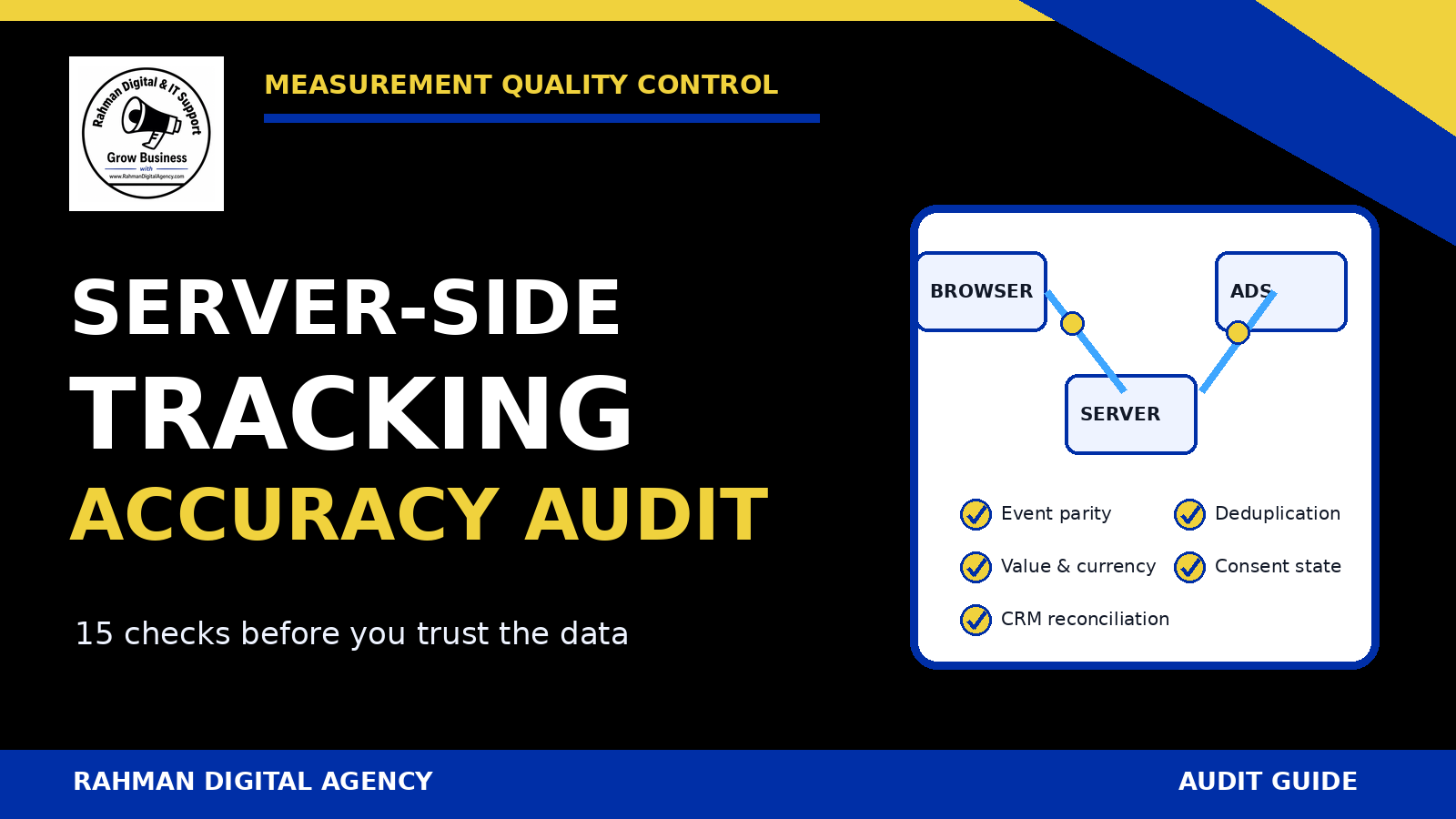
Server-side tracking accuracy audit checklist for Google Ads by Rahman Digital Agency

Server-side tagging can improve control over how measurement data is collected and routed, but moving an event through a server container does not prove that the event is accurate. A technically successful request can still represent the wrong action, fire twice, lose its click identifier, use the wrong value, ignore consent state, or disagree with the CRM.

What this audit should prove

A dependable server-side Google Ads conversion setup needs evidence for five questions:

  • Meaning: does the event represent a real business action?
  • Delivery: does the intended event reach the correct destination?
  • Uniqueness: is each conversion counted once?
  • Context: are identifiers, timestamp, value, currency and consent handled correctly?
  • Reconciliation: can reported conversions be explained against source records?

This guide is for an advertiser, analyst or implementation partner auditing an existing setup. If you need the conceptual background first, read RDA’s guide to what server-side tracking is and why it matters. If your implementation is still at the planning stage, the GA4 and GTM conversion tracking setup guide provides a broader foundation.

What “server-side tracking accuracy” actually means

Accuracy is not one number. It is a chain of controls from the user’s action to the business record and then to the advertising platform. A form-submission event may be delivered perfectly but still be commercially misleading if the form is spam. A purchase event may carry the correct value but be duplicated when both the browser and server send it without a shared identifier. An offline lead import may be valid but attributed to the wrong day if the timestamp or timezone is malformed.

Technical accuracy

The event fires on the intended trigger, reaches the intended server endpoint, is transformed as expected and returns an acceptable destination response.

Measurement accuracy

The event name, conversion action, value, currency, identifiers and timestamp reflect what really happened.

Business accuracy

The count can be reconciled to orders, qualified leads, calls or another source of truth—not only to another analytics report.

Governance accuracy

Consent, access, retention, change control and monitoring work as documented. This is operational guidance, not legal advice.

Important: server-side does not mean “cookie-free,” “perfect attribution,” or “automatically compliant.” The correct design depends on the data collected, the destinations used, the site’s consent implementation and applicable requirements.

Build an evidence pack before changing anything

An audit is easier to trust when another person can reproduce it. Preserve a token-free evidence pack before editing the web container, server container, Google Ads conversion action, gateway, CRM import or consent configuration.

  • Container and workspace versions, with the published version clearly identified.
  • A map of the browser request, server client, transformations, server tags and destinations.
  • Conversion-action IDs or names without exposing credentials.
  • A test order or test lead reference that is safe to retain.
  • Browser data-layer output, network request evidence and server-container preview evidence.
  • Google Ads diagnostics or conversion-status screenshots with account-sensitive details redacted.
  • Expected event fields, allowed values, ownership and rollback steps.

Do not begin by “fixing” tags in production. First establish the current behaviour, because a pre-existing duplicate or data loss problem can otherwise be attributed to the wrong change.

15 checks before you trust the data

1Define the canonical business action

Write a one-sentence rule for what counts. “Lead” is too vague. A stronger definition might be: “A successful, non-spam enquiry submitted by a logged-out visitor after the server confirms acceptance.” For a purchase, define whether the conversion occurs at payment authorisation, successful capture or order creation.

Pass evidence: a named owner, a trigger rule, exclusions, a source-of-truth system and an example record that matches the rule.

2Trace one event from the browser to Google Ads

Use a controlled test and follow the same event through every stage: page or application, browser tag, request endpoint, server client, transformations, destination tag and platform acknowledgement. Record where the payload changes. If the browser sends generate_lead but the server maps every request to a generic conversion, that mapping needs explicit justification.

Google’s server-side tagging documentation describes a server container that receives requests through clients and then runs tags against the resulting event data. That makes the client and transformations part of the audit—not merely the final Google Ads tag.

3Use preview and debug tools without confusing tests with proof

Preview the web and server containers together. Confirm the expected client claims the request, the intended server tag fires once and the response is not rejected. Then repeat in a logged-out browser and on a real mobile viewport. Preview mode is valuable diagnostic evidence, but it cannot prove that every browser, consent state and production request behaves the same way.

4Verify the destination conversion action

Check that the tag sends to the intended Google Ads account and conversion action. Confirm whether the action is primary or secondary, whether it is included in the relevant account goals and whether its counting method matches the business action. A test sent to the wrong action can look “green” in a debugger while still training or reporting against the wrong goal.

5Compare browser and server paths

List every place the same action can be sent: a Google tag in the browser, GA4 import, server-side Google Ads tag, plugin integration, CRM upload, call-tracking platform or automation. Decide which path owns the conversion. If two paths are intentionally retained, document how duplicates are prevented and which differences are expected.

Practical test: complete one controlled action and search every destination path for that reference. Two accepted events are not “more accurate” than one.

6Test deduplication and idempotency

Use a stable identifier generated by the source system—not a random value generated separately by each tag. For purchases, this is commonly a transaction or order ID. For server jobs and offline imports, idempotency also means a retry should not create a second logical conversion.

Run three tests: send the same payload twice, retry after a simulated timeout and reload the confirmation page. The system should either reject the duplicate or treat it according to the destination’s documented rules. Google Ads documents transaction IDs as a way to reduce duplicate purchase conversions; the identifier must remain consistent for the same transaction.

7Preserve valid advertising identifiers

Where lawfully collected and relevant to the method, verify that click identifiers or supported user-provided data survive the journey into the server workflow. Do not fabricate missing identifiers, copy them between people or silently replace them with internal session IDs. Record the exact point where an identifier is collected, stored, read and deleted.

If Enhanced Conversions is used, verify formatting, hashing responsibilities and diagnostics against Google’s current documentation. The feature can improve matching in eligible situations; it does not guarantee that every conversion will match.

8Validate timestamps and timezones

Capture the event time at the source and state its timezone. Test around midnight, daylight-saving transitions where relevant, delayed uploads and retries. For offline events, distinguish the original conversion time from the upload time. A valid event imported with the wrong timezone can be assigned to the wrong reporting day or rejected.

9Check value and currency semantics

Confirm whether value means gross revenue, net revenue, lead score, margin proxy or a fixed amount. Currency should use the required format and match the value. Test zero, decimal, high-value and refund scenarios. Never send an invented revenue figure merely because a field is required.

If a lead pipeline assigns changing values, document when the value is first sent and whether later adjustments are supported by the chosen method. Bidding systems should not be asked to optimise toward a number the business cannot explain.

10Audit lead-stage and offline-import rules

For qualified leads or sales completed away from the website, map each CRM stage to a precise conversion action. Prevent a contact from being counted repeatedly when it moves from new lead to qualified lead and then customer—unless separate actions are intentionally used and understood.

Test missing identifiers, very old records, invalid timestamps, duplicate uploads and a lead that changes stage twice. Keep an import-result log with accepted and rejected rows, but never expose personal data in routine audit reports.

11Verify consent behaviour by state

Test at least consent granted, consent denied, no choice yet and changed choice. Record which browser and server requests occur in each state and whether the destination tags receive the intended consent signals. Do not assume the server endpoint can ignore the site’s consent decision.

Google’s consent-mode guidance distinguishes basic and advanced implementations and defines consent parameters used by supported tags. The correct implementation still depends on the site’s policy and applicable requirements; obtain qualified advice where necessary.

12Exercise retries, queues and failure handling

Simulate a destination timeout, temporary 5xx response, malformed payload and expired job. Confirm whether the system retries, how often, and whether the same idempotency key is retained. A retry policy without deduplication can inflate conversions; no retry policy can lose valid events during a short outage.

Pass evidence: bounded retries, a dead-letter or review path, non-sensitive error logs, and an owner who can distinguish “delayed” from “discarded.”

13Separate QA, spam and internal activity

Automated QA can create realistic-looking conversions. Use test flags, non-production conversion actions or documented filtering where supported. For leads, reconcile spam and internal submissions before describing raw form events as qualified conversions. Never filter an entire geography, device or network merely because it looks unusual without supporting evidence.

14Reconcile against the business source of truth

Choose a complete period long enough to include normal delays. Compare source records, accepted server events and Google Ads conversions by action and day. Explain differences rather than forcing the totals to match. Expected gaps may include attribution rules, consent, identifier availability, processing delay, returns or cross-device behaviour.

Report a range and the known reasons for variance. A single “tracking accuracy percentage” can hide duplicated high-value orders or missing qualified leads.

15Create ongoing controls

Accuracy decays when forms, checkout logic, domains, consent banners, CRM fields or container versions change. Monitor event volume, duplicate rate, missing identifiers, rejected imports, value distribution and the last successful receipt. Add release checks to every relevant website or CRM deployment.

Set thresholds based on observed normal behaviour. A sudden 100% increase is not automatically success; it may be a duplicate. A 20% fall is not automatically failure; it may reflect lower demand. Alerts should prompt investigation, not make unsupported conclusions.

A practical acceptance-test matrix

ScenarioExpected browser resultExpected server resultBusiness check
Valid conversion, consent grantedDefined request and consent stateOne accepted destination eventOne matching source record
Same confirmation page reloadedNo new logical transactionDuplicate prevented or safely ignoredStill one source record
Destination timeoutUser journey remains usableBounded retry with same identifierNo duplicate after recovery
Consent deniedBehaviour matches documented modeSignals and tag behaviour match designNo unsupported personal data route
Spam or internal testClearly marked where possibleExcluded from production goal or reviewableNot treated as a qualified lead
Wrong or missing currencyValidation warning or blocked payloadNo silently misleading valueFinance/source record remains authoritative

Red flags that deserve investigation

  • The implementation is described as “100% accurate” without reconciliation evidence.
  • Browser and server tags both fire, but nobody can explain deduplication.
  • Every lead has the same value even though no valuation method exists.
  • The server endpoint accepts requests from unexpected origins or clients.
  • Conversion counts rise after a deployment while source-system records do not.
  • Test conversions appear in the primary production goal.
  • Consent-denied and consent-granted tests produce identical undocumented payloads.
  • Retries generate a new event or order ID each time.
  • Diagnostics are checked, but rejected jobs and missing CRM stages are not.
  • No one owns the tracking specification or the rollback.

If the problem is missing rather than duplicate events, use the focused guide to fix Google Ads conversions not tracking in GA4. If user-provided data is part of the design, review the separate Enhanced Conversions setup guide. For campaign-wide settings, search terms and bidding controls beyond measurement, follow the complete Google Ads account audit.

What a defensible sign-off looks like

A good sign-off does not claim perfection. It states what was tested, what passed, what remains untested and who owns the next review. The minimum package should include:

  • the conversion definition and data-flow diagram;
  • test cases with identifiers, timestamps and outcomes;
  • deduplication, retry, consent and value evidence;
  • a reconciliation period and explained variances;
  • published container/version references and rollback instructions;
  • known limitations, monitoring thresholds and review date.

For a significant change, compare a controlled pre-change and post-change period before treating movement as an improvement. Measurement changes can alter reported totals without changing actual demand.

Need an independent tracking validation?

Rahman Digital Agency can review the measurement path from browser and server container to Google Ads, GA4 and your lead or order source. The work is scoped around evidence, reproducible tests and a clear handover—without promising perfect attribution or business results.

Review RDA’s GTM setup service

Official references used

Source links and Google documentation availability were checked on 17 September 2026. Platform interfaces and requirements can change; confirm the current documentation before implementation.