
Posted on

How to Remove Negative Keywords in Google Ads Without Reopening Wasted Spend

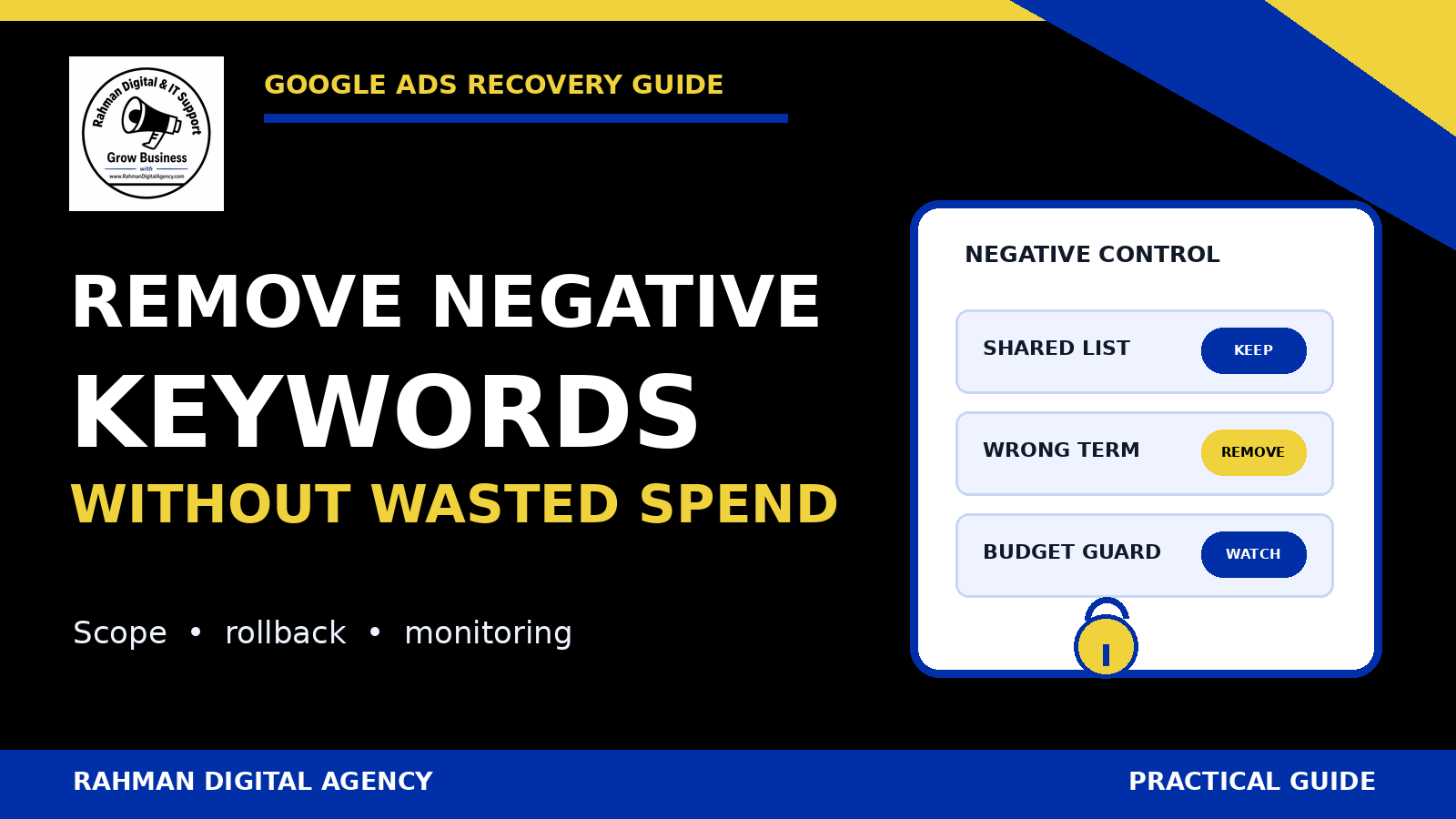
Google Ads negative keyword removal control panel showing shared-list, rollback and budget safeguards

If you need to remove negative keywords in Google Ads because a valuable search has been blocked, the safest response is not to delete every exclusion. First identify exactly where the negative lives, prove that it conflicts with a qualified query, change the narrowest possible control, and monitor the traffic that becomes eligible again.

The short answer

Remove one negative only after confirming its scope. A negative may belong to an ad group, campaign, shared list, account-level list, or a control available to a specific campaign type. Deleting a term from a shared list can affect every attached campaign; detaching that list changes only the selected campaign. Save the original text, match type, scope and list membership before editing. Then use a limited observation window and the search terms report to catch irrelevant traffic before it becomes sustained waste.

Some people still search “remove negative keywords adwords,” using Google Ads’ former product name. The operational question is current: an exclusion that once protected budget may now suppress a new service, a high-intent location, a brand term, or a legitimate long-tail query. This guide handles that recovery problem. For the fundamentals of finding and adding exclusions, start with RDA’s broader guide to negative keywords and wasted spend.

Diagnose the block before changing it

A drop in impressions does not prove that a negative keyword is responsible. Budget limits, targeting, policy status, bids, ad rank, search demand, location, schedule, keyword status and campaign settings can all affect eligibility. Begin with a specific example: the search concept you expected to serve, the campaign or ad group that should have served it, and the business reason it is valuable.

Use a qualified-query test

Write down the blocked query or query family and classify its intent. Is it a product you sell, a service you can fulfil, a location you target, or a problem your landing page answers? Compare it with real lead or sales evidence rather than treating every relevant-looking phrase as valuable.

Then inspect the Google Ads search terms report for nearby queries. The report can show which terms actually triggered ads, but it may not list every search. A missing term is therefore a clue, not conclusive proof of a negative conflict.

Look for the exact conflict and the semantic conflict

An obvious conflict is easy to spot: a campaign selling “commercial cleaning” contains the negative commercial. Harder cases involve a multiword phrase, a close conceptual conflict, a shared list inherited from an older strategy, or an exclusion added at a broader scope than intended.

  • Compare the desired query with negatives at both ad-group and campaign level.
  • List every shared negative-keyword list attached to the campaign.
  • Check whether an account-level negative applies to the campaign type in question.
  • For Performance Max, inspect the controls actually available in the current account and distinguish negative keywords from brand exclusions.
  • Review change history to identify who added or attached the control, when it changed, and what problem it was meant to solve.
Do not use removal as a diagnostic shortcut. If you cannot state which qualified query is blocked and which negative causes the conflict, keep investigating. A broad deletion can turn uncertainty into uncontrolled eligibility.

Map the negative’s scope and owner

The same text can appear in several places. Its location determines the blast radius of a change. Record the negative text exactly, including punctuation or match notation shown in the account, and identify its owner before touching it.

Ad-group negative

Controls eligibility only within one ad group. Removing it is the narrowest common recovery when a query belongs in that ad group but should remain excluded elsewhere.

Campaign negative

Applies across the campaign. Removal can reopen traffic for every ad group in that campaign, so check whether a more precise ad-group structure can contain the change.

Shared negative list

A centrally managed list can be attached to multiple campaigns. Editing a list item affects all attached campaigns; detaching the list affects only the campaign from which it is detached.

Account-level control

Designed for broad account protection across eligible inventory. Treat removal as a governance change, not a routine keyword edit, because its reach can exceed one campaign.

Create a small dependency table before the edit: campaign, ad group, list, negative, intended purpose, affected query, owner and rollback action. This takes minutes and prevents the common mistake of removing the right text from the wrong scope.

How to remove an individual negative safely

Google Ads interfaces change, and menu labels can differ by campaign type and account. In a standard Search campaign, navigate to the campaign or ad group’s negative-keyword view, filter or search for the exact term, select only that row, and use the remove action. Confirm that the interface shows the intended level before saving. Google’s current help documentation should be the final reference for the exact UI path.

1Capture the before-state

Export or record the negative text, displayed match type, level, campaign, ad group, shared-list membership, date, reason and current performance context. Take a screenshot without exposing customer data. Note the rollback text exactly; do not rely on memory.

2Choose the smallest correction

If one ad group should receive the query, remove the conflicting ad-group negative there rather than changing an account-wide control. If the campaign should keep most of a shared list but one list item is wrong everywhere, edit that one item. If the list is unsuitable only for one campaign, detach it from that campaign and rebuild only the necessary local protections.

3Check for duplicate controls

Removing one row may not restore eligibility if the same or overlapping exclusion also exists at campaign, list or account level. Repeat the scope search after saving. Also check other targeting or eligibility settings before concluding that the removal failed.

4Log the change

Record who approved it, the hypothesis, the exact scope, the time, the metrics to inspect and the rollback threshold. Change history is useful, but an operating log explains intent. That distinction matters when a future manager sees the same negative and is tempted to add it back.

Eligibility is not delivery. Removing a negative makes some searches potentially eligible. It does not guarantee an impression, click, conversion, or a particular cost. Other auction and campaign controls still apply.

Shared lists: edit the item or detach the list?

Shared negative-keyword lists are efficient because one maintained list can protect several campaigns. That efficiency also increases the risk of accidental reopening. There are two materially different actions.

ActionWhat changesUse whenMain risk
Remove one negative from the shared listThe item disappears for every campaign still using that list.The exclusion is wrong for all attached campaigns.Several campaigns become eligible for traffic at once.
Detach the shared list from one campaignThe list remains unchanged for other campaigns; one campaign stops inheriting all its items.The list no longer fits one campaign’s strategy.The campaign loses every protection in the list, not only the disputed term.
Keep the list and redesign local structureNo immediate shared-list change; campaign/ad-group controls are revised deliberately.The conflict can be solved with tighter ownership.Complexity or contradictory controls if documentation is weak.
Create a purpose-specific replacement listA new, narrower shared control is attached after review.The old list mixes universal exclusions with campaign-specific ones.Attachment errors or temporary gaps during migration.

Before detaching a list, export every item and decide which exclusions must remain locally. Before editing a list, inventory all attached campaigns and their recent spend. Google provides separate help procedures for editing list contents and removing a list from a campaign because they are not equivalent operations.

Delete an unused list only after detachment is verified

Deleting a shared list for tidiness should be the last step, not the recovery step. First confirm it is detached where intended, preserve its contents and ownership record, and verify that no campaign depends on it. Renaming a list with its purpose and owner is often safer than immediate deletion while the change is being observed.

Account-level negatives and Performance Max need separate treatment

Do not assume that the standard Search campaign workflow applies everywhere. Google documents account-level negative keywords as a separate control, and support for campaign types or account experiences may change. A removal at this scope can expose multiple eligible campaigns, so require a broader inventory and approval.

Performance Max also combines inventory and automation differently from a standard Search campaign. Negative-keyword controls, brand exclusions and other suitability controls are not interchangeable. A brand exclusion is not simply a negative keyword with another name. Confirm which mechanism is producing the restriction, which inventory it affects, and whether the control is account-level or campaign-specific before removing anything.

  • Use current Google documentation and the controls visible in the account.
  • Separate brand-navigation intent from generic commercial intent.
  • Check whether the requested change should apply to Search, Shopping inventory, Performance Max, or all eligible campaigns.
  • Preserve sensitive or universal exclusions unless there is evidence and approval for an account-wide change.
  • Escalate uncertainty rather than using a broad account control as a temporary experiment.

Reopen traffic without reopening wasted spend

The work is not finished when the negative disappears. The next task is to observe what becomes eligible and distinguish useful recovery from irrelevant expansion. Use a monitoring window appropriate to normal conversion lag and volume; do not declare success after a handful of impressions.

Define a before-and-after view

Save the pre-change date range and compare it with a post-change period that accounts for seasonality, budget changes, promotions and other campaign edits. Track impressions and clicks for the intended query family, but also review spend, conversion quality and search-term relevance. If lead quality is judged in a CRM, include that lag rather than optimising to form submissions alone.

Watch the adjacent query space

A removed negative can reopen more than the exact query that prompted the change. Review variants around the disputed word and segment by campaign and ad group. Look for new irrelevant themes, unexpected locations, research intent, jobs, support requests or other patterns that do not match the offer.

Do not immediately rebuild the same broad exclusion when one bad query appears. If the bad query is genuinely irrelevant, add the narrowest defensible control at the right level. RDA’s guide to fixing Google Ads budget waste covers the wider diagnostic process, while the Google Ads account audit guide helps check settings beyond search terms.

Set rollback conditions before spend moves

A useful rollback condition is specific and observable: for example, restore the recorded negative if a defined group of clearly irrelevant terms exceeds an agreed spend limit with no qualified outcome. The threshold should reflect account economics, normal delay and data volume. It should not be a universal percentage copied between businesses.

Practical negative-keyword recovery checklist

  • Name the qualified query or intent that appears to be blocked.
  • Confirm the query fits the offer, landing page, geography and commercial objective.
  • Check ad-group, campaign, shared-list and account-level negatives.
  • For Performance Max, distinguish negative keywords from brand and suitability controls.
  • Inspect change history and ask why the exclusion was created.
  • Record exact text, match notation, owner, level, attachments and before-state.
  • Inventory every campaign affected by a shared-list edit.
  • Choose between removing one item and detaching a whole list; do not confuse them.
  • Make one narrow change where practical and avoid unrelated campaign edits.
  • Verify that no duplicate or overlapping exclusion remains at another level.
  • Confirm budget, targeting, policy and ad status before blaming a negative alone.
  • Log approval, hypothesis, observation window and rollback threshold.
  • Review search terms, spend and downstream lead or sales quality after the change.
  • Restore the preserved control if the agreed waste condition is reached.
  • Document the result so the mistaken exclusion is not reintroduced later.

Common removal mistakes

  • Deleting the entire shared list: a single disputed term does not justify removing every protection.
  • Editing the list when only one campaign is different: the change silently affects other attached campaigns.
  • Detaching the list without rebuilding essentials: the campaign loses exclusions that were still valid.
  • Ignoring account-level controls: a campaign-level edit appears ineffective because a broader exclusion remains.
  • Changing bids, budget and negatives together: there is no clean way to explain what caused the result.
  • Judging only by clicks: recovered traffic can look active while producing low-quality enquiries.
  • Promising savings or conversions: removal changes eligibility, not guaranteed outcomes.

Need a controlled Google Ads recovery review?

Rahman Digital Agency can trace negative-keyword scope, shared-list dependencies, search-term quality and budget risk, then document a monitored correction and rollback. The review documents the account-specific risks, proposed correction, measurement plan and rollback criteria before implementation.

Explore Google Ads managementDiscuss your account

Official Google Ads references

Official sources were checked on 18 September 2026. Google Ads interfaces, campaign support and control availability can change. Verify the current documentation and your account before editing. This article is general advertising information, not a guarantee of performance.
Posted on

Google Ads Management Agency UK: 12 Questions Before You Hire

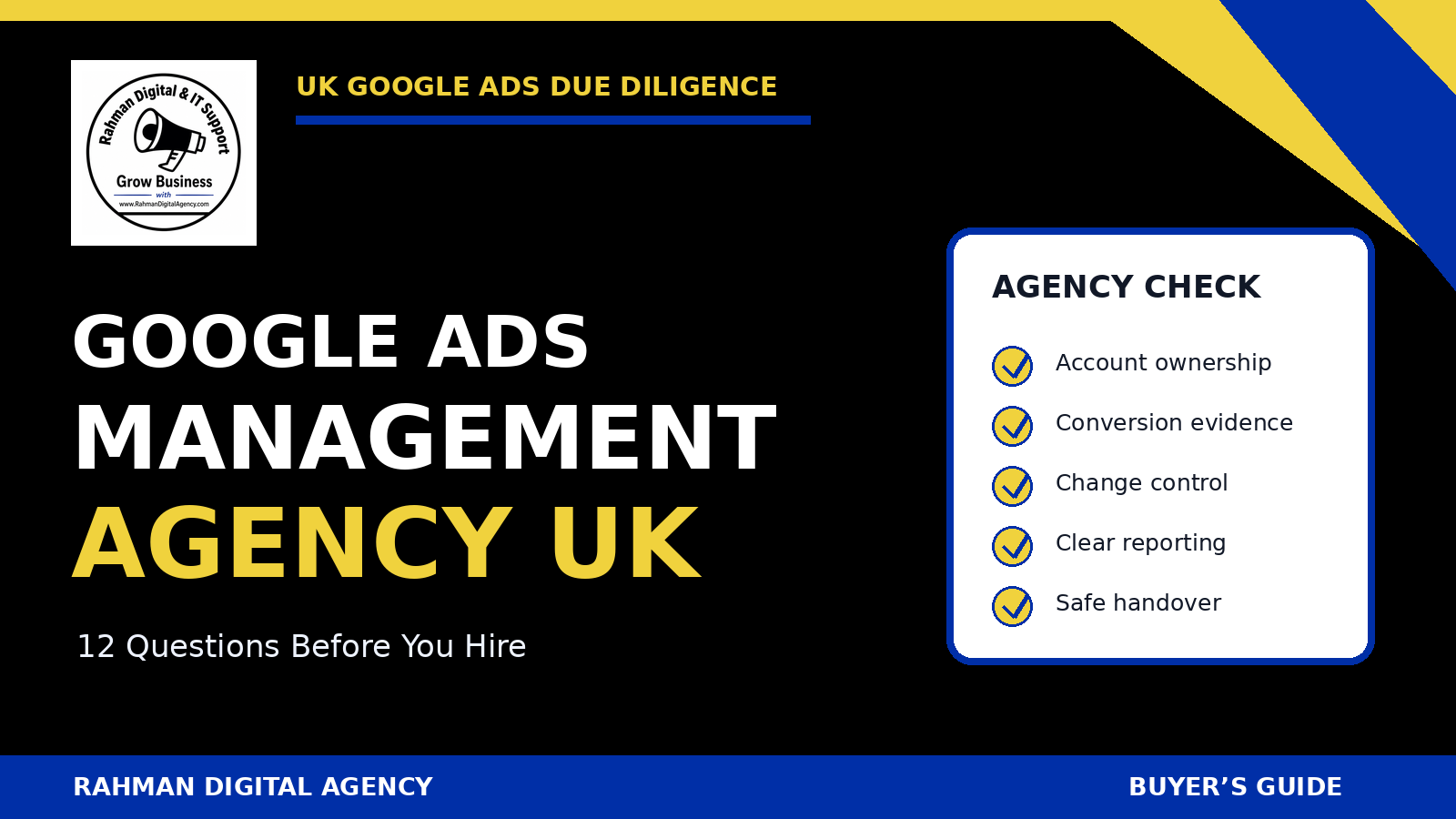
Google Ads management agency UK buyer checklist by Rahman Digital Agency

A buyer’s due-diligence guide for UK advertisers

People searching “Google Ads management agency UK” need more than a provider list. A credible agency should be able to explain account ownership, commercial goals, conversion evidence, decision-making and handover in plain language. This guide gives you twelve questions that reveal how an agency will actually operate after the pitch.

Updated: 16 September 2026By Rahman Digital AgencyReviewed against current Google and UK guidance

The short answer

Choose a Google Ads agency by inspecting control, evidence and process—not promises. Your business should own the Ads account and critical data assets, approve meaningful commercial changes, know which actions count as conversions, receive reporting tied to qualified outcomes, and have a documented exit path. Credentials can support due diligence, but they do not replace a strategy that fits your economics.

Searching for a UK Google Ads management partner is not the same as buying a standard product. Two agencies can use the same platform while making very different choices about measurement, campaign structure, search terms, creative, landing pages and communication. The buyer therefore needs a repeatable way to test whether the working relationship will be accountable.

Before comparing agencies, define the job

A weak brief asks an agency to “improve the account.” A useful brief states what the business sells, where it can serve customers, which outcomes matter, how long the sales cycle is, what cannot change without approval and which systems hold the truth.

Prepare these facts before the first call:

  • Products or services that are commercially important, available and adequately supported.
  • Geographic coverage, capacity limits and any regulated or restricted categories.
  • Typical path from enquiry to qualified opportunity, sale or completed job.
  • Known gross-margin or allowable acquisition-cost constraints, using your own verified numbers.
  • Current Ads, Analytics, Tag Manager, website, CRM and consent-management ownership.
  • Decision makers, approval limits and the reporting rhythm your team can sustain.

If the current account is difficult to interpret, start with an evidence-led review. RDA’s Google Ads account audit guide explains the areas an audit should cover without pretending that a checklist alone is a strategy.

Twelve questions to ask a Google Ads management agency

1. Who will own the Ads account and billing relationship?

The safest default is that the advertiser retains administrative control of the account and adds the agency with an appropriate access level or through a manager-account link. Google documents several access levels and allows client accounts to be linked to manager accounts. Ask who can invite users, change payment details, unlink management and recover access.

Do not accept “we always build campaigns in our account” without understanding the consequences. If the relationship ends, the business should know what happens to campaign history, audiences, tags, creative, exclusions and billing records.

2. What business outcome will guide optimisation?

“More conversions” is incomplete. A form completion, phone-number tap, qualified call, booked appointment and completed sale are different events. Ask the agency to map the conversion ladder and identify which outcomes are primary bidding signals, secondary observations and offline feedback.

A responsible answer includes limitations. The agency should not claim that every tracked lead is qualified or that revenue attribution is exact. Where the data supports it, later-stage outcomes can be imported to provide stronger feedback than a page-view or button click.

3. How will you verify conversion tracking before changing bids?

Google Ads can measure website actions, calls and imported outcomes, but implementation quality varies. Ask for a test plan: trigger conditions, duplicate prevention, consent behaviour, currency and value handling, cross-domain journeys, form success states, call attribution and comparison with CRM records.

RDA’s guide to GA4 and GTM conversion tracking covers the measurement foundation. The agency should be able to distinguish a technical tag firing from a commercially valid conversion.

4. How will you learn which search terms produce qualified demand?

Keywords are targeting instructions; search terms are the queries that resulted in ads being shown. Google’s search terms report provides important evidence, although privacy thresholds mean it does not disclose every query. Ask how frequently the team reviews terms, records exclusions and relates query themes to actual lead quality.

Negative keywords can reduce irrelevant exposure, but careless lists can also block valuable searches. Ask for examples of the reasoning process, not a promise to add hundreds of negatives. RDA’s negative-keyword guide explains why match types and close variants need deliberate review.

5. What will you change first, and what evidence supports that priority?

A credible first-month plan is specific but conditional. It may prioritise tracking repairs, search-term waste, geographic leakage, campaign segmentation, ad-to-page mismatch or budget allocation. The agency should explain why one problem comes before another and what it will leave unchanged until more evidence exists.

Google Ads change history can show account changes over time. Ask how actions, hypotheses and expected effects will be documented so that later performance discussions do not rely on memory.

6. How do you decide between automation and manual controls?

Automated bidding can use auction-time signals, but it still depends on goal selection, conversion quality, budget, data volume and constraints. Manual control is not automatically superior either. Ask what conditions must be true before a bidding change, how learning periods will be protected and how the agency will respond when imported outcomes are delayed.

The answer should reflect your account rather than a universal favourite. RDA’s lead-generation bidding strategy guide gives context for the trade-offs.

7. How will landing pages be evaluated?

An agency that controls media but ignores the post-click journey may keep paying for a broken experience. Ask how it will assess message continuity, mobile usability, speed, trust, form friction, phone journeys and the difference between a page conversion and a qualified enquiry.

Google’s recommendations and Quality Score diagnostics can highlight opportunities, but platform scores are not business outcomes. A useful agency tests substantive hypotheses and explains the measurement window. See RDA’s practical guide to improving Google Ads landing-page conversion rate.

8. How will experiments be designed and read?

Google Ads supports campaign experiments for testing certain changes. Ask what qualifies as a test, which variable will change, what success metric applies, how long the observation should run and what would invalidate the conclusion. A small account may not generate enough data for a clean platform experiment; the agency should say so rather than manufacture certainty.

A good answer also protects the business from endless testing. Not every obvious tracking defect or misleading claim needs an experiment before correction.

9. Which competitive signals will you use—and which will you ignore?

Auction Insights can show metrics involving other advertisers in the same auctions. It does not reveal their profitability, budgets, conversion quality or full strategy. Ask how competitor observations will inform decisions without turning the account into a copy of visible rivals.

The agency should be equally cautious with third-party estimates. Use them as directional research, then make decisions from your account, website, CRM and operational feedback.

10. What approvals, safeguards and policy checks are built into delivery?

Ask who can launch campaigns, change budgets, add networks, alter geographic reach, modify conversion goals, publish claims or change landing pages. Set thresholds for material actions. The agency should also review Google Ads policies relevant to the offer and avoid misleading identity, unsupported results or hidden commercial terms.

For UK users, cookie and similar-technology practices may engage PECR and data-protection requirements. The ICO publishes current guidance, but the right implementation depends on the facts. An agency can identify tracking implications; qualified legal or privacy advisers should decide legal obligations.

11. What will the report show beyond platform totals?

Ask for a sample report with commentary. It should connect spend and platform activity to qualified outcomes where the evidence allows, disclose data limitations, and show what changed. A table of clicks, impressions and conversions without lead-quality context is not enough for a service business.

The report should also separate observation from interpretation. “Cost per reported form completion fell” is an observation. “Lead quality improved” needs CRM or sales evidence.

12. What happens if we stop working together?

A professional offboarding process is not disloyal; it is operational hygiene. Ask about notice, final billing, account unlinking, access removal, file delivery, change notes, dashboards, scripts, creative assets, audience ownership, tag documentation and the final reporting period.

Confirm the process in the agreement before work starts. The business should not discover during a dispute that critical assets or history sit in an inaccessible account.

How to assess the answers

AreaStrong evidenceWeak signalFollow-up
OwnershipNamed owner, least-privilege access and written offboarding“We handle everything”Show the proposed access model.
MeasurementConversion map, test cases, CRM reconciliation and limitationsScreenshots of total conversionsWhich event will bidding optimise towards?
StrategyPriorities tied to business economics and observed account issuesA fixed tactic for every accountWhat evidence would change the plan?
ReportingQualified-outcome context, changes, caveats and next decisionsAutomated metric dumpHow are rejected leads represented?
ClaimsCareful scope and explicit uncertaintyGuaranteed leads, ROAS or top placementWhich assumptions underpin the forecast?

Simple shortlisting method: score each provider from 0 to 2 on ownership, measurement, commercial understanding, change control, reporting and offboarding.

Use the score to expose missing evidence, not to automate the buying decision. References, communication fit, sector constraints and the actual people assigned to the account still matter.

Agency, freelancer or in-house?

Agency

Can combine media, tracking, creative and landing-page skills. Check who does the day-to-day work, how knowledge is handed between specialists and whether senior expertise appears after the sales call.

Freelancer

Can offer direct communication and specialist depth. Check capacity, cover during absence, documentation, data protection and how dependent the account becomes on one person.

In-house

Can sit close to sales and operations. Check whether the role has enough time, platform depth, measurement support and challenge from outside the organisation.

Hybrid

An internal owner can set priorities and provide lead-quality feedback while an external specialist executes and audits. Define decision rights to prevent duplicated or conflicting changes.

The right model depends on account complexity, internal capability, change volume and commercial risk. A small specialist account may value direct senior attention more than a large service menu. A multi-market advertiser may need broader governance and coverage. Do not infer quality from headcount alone.

A safe onboarding checklist

  1. Inventory ownership: record the owner and administrator for Ads, Analytics, Tag Manager, Merchant Center where relevant, website, domain, CRM, consent platform and call-tracking tools.
  2. Back up the baseline: export current settings, conversion actions, budgets, campaign status, change history and key reports before material changes.
  3. Use named access: avoid shared credentials; assign the least privilege needed and record who approved access.
  4. Agree the conversion specification: define events, values, deduplication, qualification stages and sources of truth.
  5. Set change authority: document what the agency may change routinely and what requires written approval.
  6. Protect billing: understand who can edit payment information, promotional credits and spend limits.
  7. Create a measurement QA plan: test consent states, devices, forms, calls, CRM handoff and reporting before trusting automation.
  8. Schedule feedback: ensure sales or operations can return lead-quality information at a useful cadence.
  9. Define incident handling: set escalation routes for disapprovals, tracking failures, unexpected spend or site outages.
  10. Document offboarding now: specify deliverables and access removal before the first campaign change.

What a useful monthly review should include

The exact report should match the business, but the decision structure is broadly reusable:

  • Spend and delivery by commercially meaningful segment, with comparison periods stated.
  • Primary and secondary conversion actions, plus tracking changes that affect comparability.
  • Qualified, rejected, booked or sold outcomes where CRM evidence is available.
  • Search-term, location, device and landing-page observations with privacy thresholds acknowledged.
  • Material account changes, why they were made and when their effects can reasonably be assessed.
  • Budget constraints, capacity issues and external factors that limit interpretation.
  • Next actions, owner, approval requirement and the evidence each action is expected to improve.

Google’s optimization score and recommendations can surface ideas, but they should not become the report’s objective. Recommendations require review against margin, lead quality, policy, geography and operational capacity.

Red flags—and caveats that are actually responsible

Red flags

  • Guaranteed leads, profit, return on ad spend, first position or a fixed cost per acquisition without defensible conditions.
  • Refusal to identify the actual account manager or explain account ownership.
  • Optimising before conversion actions have been tested.
  • Reports that hide spend, change history, conversion definitions or rejected-lead feedback.
  • Pressure to launch unsupported claims, imitate competitors or bypass consent and policy review.
  • No written exit process or a plan that depends on assets the advertiser cannot access.

Fair caveats

Some caution is a sign of competence. An agency may reasonably say that a forecast is conditional, an account needs a diagnostic period, a low-volume experiment will be inconclusive, lead quality depends on sales feedback, or a privacy question needs legal advice. That is more useful than confident fiction.

Google Partner status is not a substitute for due diligence. Google publishes programme requirements, but any claimed badge should be verified and the buyer should still assess ownership, strategy, measurement, assigned staff and commercial fit.

Frequently asked questions

Should my business own the Google Ads account?

Usually, yes. The advertiser should retain administrative control and grant appropriate access to the agency. Confirm billing, linked products, recovery options and offboarding in writing.

How much should Google Ads management cost in the UK?

There is no universal responsible fee. Scope can vary by spend, campaign count, markets, creative, tracking, landing pages, reporting and meeting requirements. Compare the included work, approval model and commercial evidence—not only the fee format.

Is a Google Partner automatically the best agency?

No. Programme status can be one verifiable signal, but it does not prove fit for your sector, account size, measurement needs or team. Verify any claim and continue the full due-diligence process.

Should an agency guarantee a return?

No provider controls auctions, competitor decisions, website performance, market demand, pricing, sales follow-up or customer quality. Responsible agencies can model scenarios and define assumptions, but they should not present a forecast as a guarantee.

How soon should performance be judged?

There is no universal duration. First confirm that tracking and qualification are valid. Then consider spend, conversion volume, sales cycle, material changes and data delays before drawing conclusions.

What access should an agency receive?

Only the access needed for its agreed duties. Use named users or a manager-account link, keep an internal administrator, review access regularly and remove access promptly during offboarding.

Need an evidence-led review of your UK Google Ads account?

Rahman Digital Agency can review campaign structure, search terms, conversion tracking, landing journeys and reporting, then explain the priorities and limitations clearly. We do not promise rankings, lead volume or business results.

Review RDA’s UK Google Ads management service Discuss your account with RDA

Sources and further reading

This article provides general advertising, measurement and procurement information, not legal advice. Google Ads features, programme rules, policies and interfaces change. Review current primary sources and obtain qualified legal, privacy, tax or contractual advice for your circumstances.