
Posted on

Website Redesign Cost in 2026: Scope, Pricing and Quote Traps for US Businesses

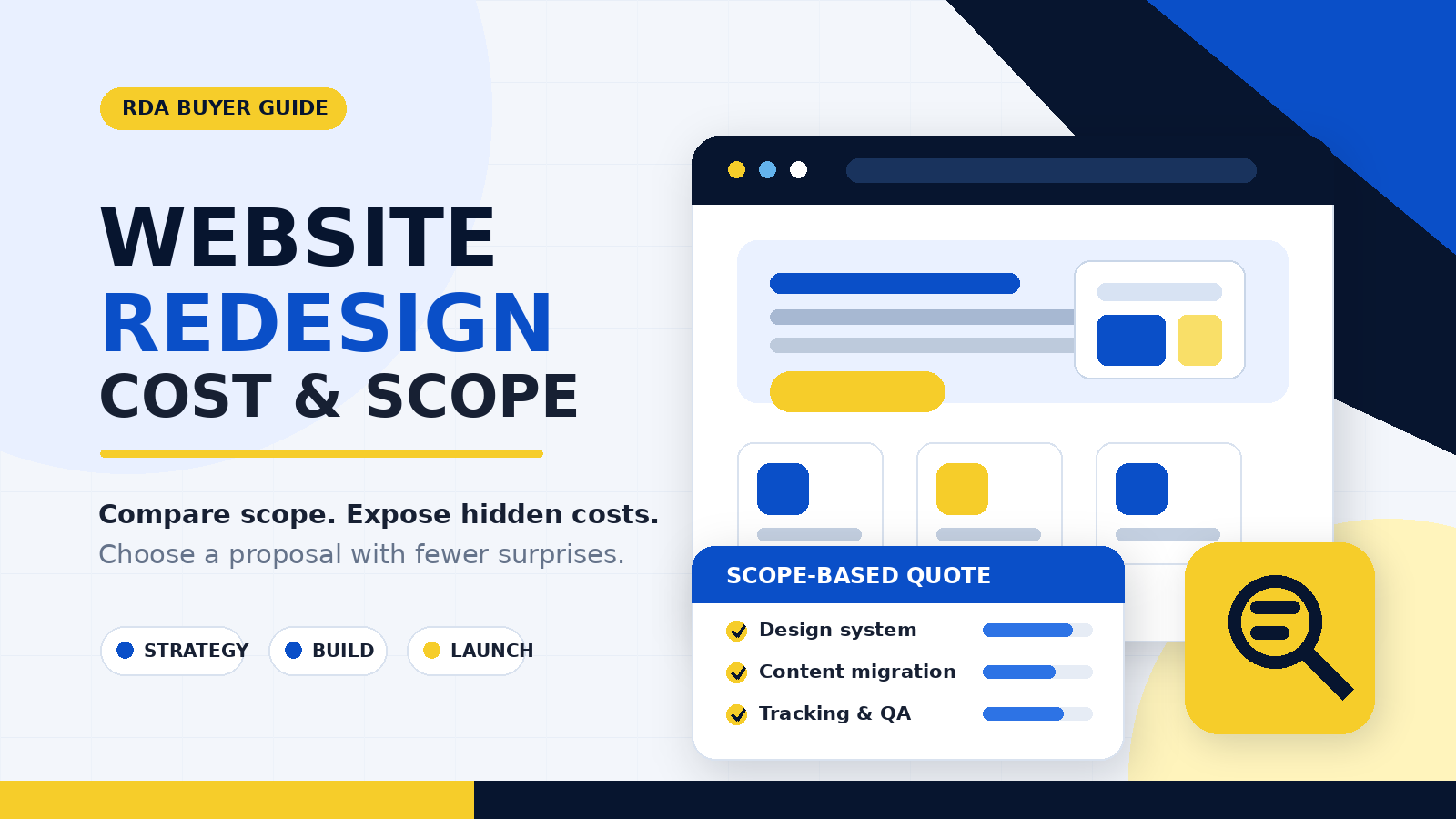
Website redesign cost and scope illustration with a website mockup, project phases and quote comparison checklist

US website redesign buyer guide

A useful redesign budget starts with scope, not a headline price. Compare what each quote includes, expose recurring and migration costs, and define what must work before you approve a launch.

The short answer: current public pricing guidance is broad. WebFX reports an average website redesign cost of $3,000 to $75,000. That range is directional third-party context—not a Rahman Digital Agency price list, a universal benchmark or a quote for your business.

The number becomes useful only after you define whether you need a visual refresh, a strategic conversion redesign or a platform rebuild. Normalize every proposal around the same templates, content, integrations, migration work, testing and first-year operating costs.

A website redesign can mean changing colors on five templates, rebuilding a lead-generation journey, moving hundreds of URLs to a new CMS, or replacing ecommerce and CRM connections. Those projects should not cost the same. A page count alone does not show the work because fifty pages built from five repeatable templates differ from fifty custom layouts.

This guide is for US small-business owners and marketing leaders comparing providers. It complements our website design brief checklist: the checklist helps you prepare project inputs, while this guide helps you judge the price and risk behind competing redesign proposals.

What should a website redesign cost?

The honest answer is that cost should reflect the amount of discovery, UX and visual design, development, copy, content migration, integration and quality assurance required. The same dollar figure can represent good value for one scope and a risky shortcut for another.

A lower quote can be appropriate when the site stays on its current platform, retains most of its content and uses a small set of reusable components. A higher quote may be reasonable when the work includes new information architecture, original copy, custom features, CRM connections, a large migration, redirect planning, analytics reconstruction or demanding accessibility and performance requirements.

Before treating any published range as your budget, answer four questions:

  1. What is changing? Brand presentation, templates, navigation, copy, platform, functionality—or all of them?
  2. How much must be migrated? Count URLs, content types, documents, products, forms and data sources.
  3. What must work at launch? Name the integrations, measured actions, devices and acceptance tests.
  4. What continues after launch? Include hosting, licenses, maintenance, support and internal administration.

Price context: WebFX, Website Redesign Pricing: How Much Does a Redesign Cost?, updated May 27, 2026, reports a $3,000–$75,000 average range. Use it to understand variability, not to predict your quote.

First decide: refresh, strategic redesign or rebuild?

Focused refresh

The platform, URL structure, core content and functions stay largely intact. Work may concentrate on styling, mobile layouts, component cleanup and selected priority pages. Testing and an explicit “unchanged” list still matter.

Strategic redesign

The project changes how the site communicates and converts. It can include audience work, revised navigation, new templates, copy, calls to action, forms, trust content and measurement. Review our guide to building a lead-generation website for a service business when lead quality is the central goal.

Platform or functional rebuild

The site moves to another CMS or commerce platform, replaces major plugins, restructures data or recreates integrations. The biggest cost may be preserving dependencies, not drawing new screens.

Partial redesign

A high-value section—such as services, locations or campaign landing pages—is redesigned while the rest remains stable. This can reduce initial scope, but shared navigation, components and measurement rules must be planned carefully.

Ask each provider to name the category being quoted and list what it assumes will remain unchanged. Two proposals labeled “complete redesign” are not comparable until their included work matches.

Nine decisions that move website redesign pricing

URL count versus template count

Ask for the number of current URLs to review or migrate and the number of unique templates or components to design. The two counts measure different kinds of work.

Strategy and information architecture

Stakeholder interviews, audience research, analytics review, sitemap planning and wireframes take time. Confirm whether the quote includes them or begins after your team supplies the structure.

Copy and media

Clarify who audits, writes, edits, approves and enters content. Add photography, video, illustration, document cleanup and license costs where relevant.

Design depth and revisions

A tailored system of reusable components differs from adjusting a purchased theme. Record how many concepts, priority page designs and revision rounds are included.

CMS and custom functions

Ecommerce, booking, gated content, multilingual publishing, calculators, directories, search and account areas can expand both development and test coverage.

Integrations and data movement

Define integrations as workflows, not logos. For a form-to-CRM connection, specify required fields, routing, consent, error behavior and the evidence that proves the whole path works.

SEO and content migration

Make URL mapping, redirects, metadata, canonicals, internal links, index controls and XML sitemaps visible in scope. Google recommends mapping current URLs to their new counterparts, configuring redirects and monitoring both old and new URLs during a move. Use our website redesign SEO checklist to review this work in more detail.

Measurement, privacy and consent

Name the business actions to measure and how they will be tested. “Analytics installed” is not the same as validated lead tracking. A proper GA4 and GTM conversion-tracking setup should connect implementation to agreed user actions.

Quality assurance, launch and support

Confirm browser and device testing, accessibility review, performance criteria, form and integration checks, launch ownership, warranty, training, documentation and ongoing support.

What a complete redesign quote should show

A useful proposal makes the work testable. It should cover:

  • business goals and agreed measures;
  • sitemap, URL count and content types;
  • unique templates and reusable components;
  • research, wireframes and design deliverables;
  • copy, editing, assets and content entry;
  • CMS, themes, plugins and custom code;
  • forms, CRM and other integrations;
  • migration rules and redirect checks;
  • analytics, consent and conversion tests;
  • accessibility and performance methods;
  • browser, device and content QA;
  • revision rounds and client dependencies;
  • account, file, code and data ownership;
  • training, documentation and warranty;
  • one-time, recurring and optional fees;
  • taxes, exclusions and change-request rates.

If an item is missing, mark it excluded, client supplied, allowance or to be determined. A blank line should not be interpreted as included.

Comparable first-year cost = one-time project fee + required paid add-ons + 12 months of hosting, licenses and support + known content and migration work

Keep sales tax separate if providers treat it differently. The formula does not choose a vendor for you; it prevents a low build fee from hiding mandatory operating costs.

Website redesign quote-comparison worksheet

Send every shortlisted provider the same current URL, primary business goal, platform, approximate URL count, required functions, integration list, content responsibilities and preferred launch window. Then compare the replies line by line.

Comparison itemVendor AVendor BVendor CEvidence or notes
One-time project feePayment stages?
Discovery, sitemap and wireframesNamed deliverables?
Unique templates/componentsCount, not just pages
Copy, media and content entryAllowances and approvals?
CMS, development and integrationsCustom or off-the-shelf?
Migration, redirects and SEO checksMapping and post-launch review?
Analytics and conversion testsEvents and test evidence?
Accessibility and performance workMethod and conditions?
Browser/device QACoverage listed?
Training, warranty and supportDuration and boundaries?
Hosting, licenses and renewalsFirst year and renewal?
Ownership and handoverAccounts, files, code and data?
Exclusions and changesApproval and rate?
Comparable first-year totalRequired costs only

Hidden costs to check before approving a budget

  • Content inventory and deletion decisions
  • Copywriting, editing and content entry
  • Photography, video and stock licenses
  • Premium themes, plugins and fonts
  • Hosting, backups and security monitoring
  • CMS, product or document migration
  • URL mapping and post-launch SEO checks
  • Analytics, consent and conversion validation
  • CRM, payment and scheduling integrations
  • Accessibility review and remediation
  • Performance work and paid infrastructure
  • Spam protection and form deliverability
  • Privacy or legal review by qualified advisers
  • Additional revisions and scope changes
  • Internal staff time and approvals
  • Training and administrator handover
  • Maintenance and emergency support
  • Rush work and applicable taxes

Some conversion work may deserve its own scope. For example, a redesign should not assume that a prettier campaign page will automatically convert; use a structured landing-page conversion review. Likewise, decide whether a platform form or website form best fits the campaign before rebuilding flows; our comparison of Meta instant forms and website forms explains the trade-offs.

Protect leads, measurement and ownership during the redesign

A redesign can look finished while breaking the business path underneath it. Before launch, submit every important form on supported devices and verify the notification, thank-you state, CRM record and measured event. If WordPress forms are part of the scope, define the evidence required for contact-form conversion tracking.

Preserve a baseline of current URLs, organic landing pages, measured conversions and important page templates. An SEO audit checklist for service-business websites can help identify issues worth fixing before they are copied into the new build.

Ownership should be explicit: your business should know who controls the domain, DNS, hosting, CMS, analytics, tag manager, plugins, source files and third-party accounts. The handover should name exports, design files, documentation, training and any provider dependencies that remain.

Do not accept a launch based only on screenshots. Require a staging review, test cases for critical user journeys, a documented backup or rollback plan, and a short post-launch verification period. Accessibility criteria should be tied to an agreed standard and test method; W3C describes WCAG 2.2 success criteria as testable, technology-independent statements. That does not replace legal advice or create an automatic compliance guarantee.

Questions to ask before hiring a redesign partner

  1. What assumptions produced this quote?
  2. How many current URLs, content items and unique templates are included?
  3. What remains unchanged, and what is explicitly excluded?
  4. Who handles copy, assets, approvals and content entry?
  5. How many concepts and revision rounds are included?
  6. How will URLs, redirects, metadata and internal links be handled?
  7. Which forms and integrations will be tested end to end?
  8. Which analytics and conversion events will be rebuilt and validated?
  9. What mobile, browser, accessibility and performance checks are included?
  10. What evidence is required before launch acceptance?
  11. Who controls the accounts, source files, code and data?
  12. Which annual or usage-based third-party fees should we expect?
  13. How are changes estimated, approved and billed?
  14. Who owns launch, rollback and issue triage?
  15. How long is the warranty, and what does it exclude?

How to choose between competing proposals

Do not score price first. Use this order:

  1. Scope fit: Does the proposal solve the defined business and user problem?
  2. Completeness: Are content, migration, integrations, measurement and QA included?
  3. Testability: Can you tell what must work before accepting the site?
  4. Ownership: Will your business control its accounts, assets and data?
  5. Delivery risk: Are assumptions, dependencies and change control clear?
  6. Comparable first-year cost: After normalizing the above, what does each option actually require?

A more expensive proposal can be the better-value choice if it includes essential work omitted elsewhere. A lower-cost proposal can be sensible when the scope is deliberately narrow and your team can handle the exclusions. The objective is not to buy the most work. It is to buy the right work with fewer surprises.

Frequently asked questions

Is a redesign cheaper than a new website?

Sometimes, but not automatically. Reusable content, components and integrations can reduce work. A complicated legacy CMS, poor content quality or a large migration can make redesign work as demanding as a new build. Compare the retained assets and dependencies, not the label.

How long does a website redesign take?

Duration depends on decision speed, template count, content readiness, integration complexity, migration volume and test requirements. Ask for a phased schedule showing client approvals and dependencies rather than accepting one launch date without assumptions.

Should we choose a freelancer or an agency?

Choose the delivery model that covers the required disciplines and support. A skilled freelancer can suit a focused scope. A coordinated team may better fit research, copy, design, development, migration and measurement work happening together. In either case, evaluate named responsibilities, evidence, availability and handover.

Can a redesign guarantee more leads or better rankings?

No responsible provider can guarantee those outcomes. A redesign can improve clarity, usability, measurement and technical foundations, but demand, offer, competition, traffic quality and sales follow-up also influence results. Set testable launch criteria and measure post-launch performance without treating correlation as proof.

When should we request a fixed price?

A fixed price is most defensible when the deliverables, assumptions, dependencies, acceptance tests and exclusions are clear. If discovery may change the architecture or migration plan, a paid discovery phase followed by a refined implementation proposal can reduce uncertainty for both sides.

Sources and further reading

Need a scope-based website redesign conversation?

Rahman Digital Agency provides website design and development. Send your current URL, business goal, required functions and preferred launch window, and we can discuss the redesign scope before an estimate is prepared.
Posted on

How to Build a Lead Generation Website for a Service Business

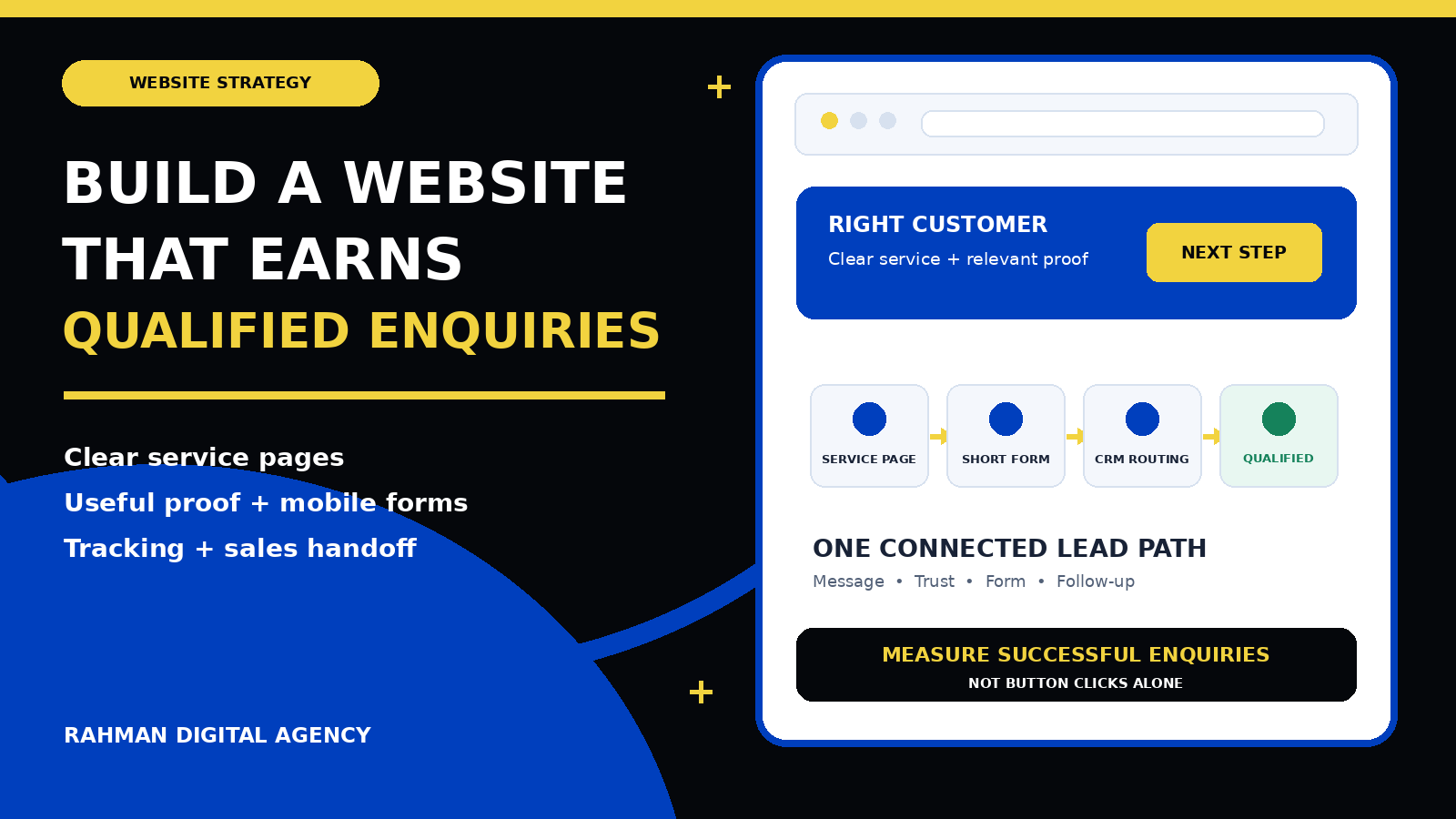
Lead generation website journey connecting service pages, trust, a mobile-friendly form, CRM routing and qualified enquiries

Website strategy for service businesses

A lead generation website is not just an online brochure with a contact form. It is a connected journey that helps the right visitor understand your service, trust your business, choose a sensible next step and reach the right person with enough information for a useful conversation.

Short answer: build around one defined customer, one valuable service and one measurable enquiry path. Give each important service a focused page, show relevant proof before asking for details, make the mobile action obvious, confirm that forms really reach the sales team, and measure qualified outcomes rather than counting every click as a lead.

A service-business website can receive traffic and still fail to create useful enquiries. The usual problem is not a missing colour, animation or plugin. It is a broken decision path: the page attracts the wrong intent, describes the service vaguely, hides proof, presents too many competing actions, asks poor form questions or loses the enquiry after submission.

The solution begins before design. You need to define who the website should help, which services deserve priority, what makes an enquiry suitable and what your team will do next. This guide explains how to turn those decisions into practical page architecture, copy, forms, measurement and sales handoff. If you are planning a new build, RDA’s website design brief checklist can help organise the initial requirements.

1. Define a qualified enquiry before designing the website

“Generate more leads” is too vague to guide a website project. A lead might mean a phone tap, a WhatsApp conversation, a booked assessment, a completed quote request or a form from someone who meets clear service criteria. Those actions are not interchangeable.

Start with a written definition that sales and marketing can both use. For example, a qualified enquiry for a commercial maintenance company might be a facilities decision-maker within the service area who needs a covered service and provides a workable time frame. A suitable enquiry for a consultancy may require a particular business type, problem and project scope. The definition should be specific enough to guide page copy and form questions without making unsupported assumptions about the buyer.

  1. Customer: identify the people or organisations the service is genuinely built for.
  2. Need: describe the problem, project or outcome that should bring them to the page.
  3. Fit: record practical boundaries such as service type, location, capacity or necessary access.
  4. Next step: choose the smallest sensible commitment—a call, message, booking, assessment or written enquiry.
  5. Outcome: decide how the team will mark contactable, qualified, quoted, booked and won stages.

This definition prevents two common mistakes. The first is optimising for form volume even when many submissions cannot become customers. The second is making the form so demanding that a suitable prospect must prepare a technical specification before your team will speak to them.

2. Map the customer’s questions to the right pages

A visitor rarely begins by wanting to “browse a website.” They arrive with a question: can this company solve my problem, in my location, with a process I can trust? Page architecture should answer that question with as little confusion as possible.

Homepage

State what the business does, who it serves, the main service areas and the clearest next step. Use the homepage to orient visitors, not to compress every service into one long sales pitch.

Service pages

Give commercially important services their own useful pages. Explain the problem, deliverables, process, fit, proof, common objections and next action in the language a buyer uses.

Proof pages

Use relevant case studies, project examples, reviews and credentials that can be substantiated. Show the starting situation, work completed and evidence appropriate to the engagement.

Contact and confirmation

Offer a reliable contact path, set expectations and provide a clear success state after submission. The visitor should know whether the request was received and what happens next.

Location pages can be useful when the business genuinely serves distinct areas and has different information to provide. They should not be mass-produced copies with a place name changed. Likewise, a blog should support real customer decisions and internal links, not exist only to create page count.

Google’s SEO Starter Guide recommends logical site organisation, descriptive URLs and useful content that is easy to navigate. Those practices also help buyers. A clear relationship between services, proof, guides and contact routes reduces the effort required to understand the offer.

3. Give each page one primary conversion action

A page can support several contact methods without presenting them as equal visual competitors. Decide what a suitable visitor should do next, then make that action obvious in the opening section, after major proof and near the end.

ActionGood fitWhat the page must explain
Short formA clear service where a small number of details can start a useful conversationWhy to enquire, required fields, response expectation and privacy context
WhatsApp or messagingMobile-first audiences and enquiries that benefit from a quick, conversational startWhat information to send, likely response window and a non-floating alternative
Phone callUrgent or high-trust services where immediate conversation is valuableOpening hours, who answers and another route when calling is inconvenient
BookingServices with a defined consultation or assessment and dependable calendar capacityPurpose, duration, preparation, eligibility and rescheduling expectations
Detailed quote requestProjects where scope information meaningfully changes feasibility or estimatingWhy each question matters, file limits, confirmation and what happens before a quote

The primary action should match the promise that brought the visitor to the page. Google Ads describes landing-page experience partly in terms of how relevant and useful the destination is to people who click an ad. The same principle applies beyond advertising: if a page promises an assessment, the action should not suddenly become a generic newsletter form.

Keep secondary actions available but quieter. A visitor who cannot call should still be able to message or use a form. On mobile, check whether sticky bars, chat bubbles, cookie controls or promotional widgets cover copy and buttons. A visible control that obstructs the form is not a helpful conversion feature.

4. Write copy that helps a buyer make a decision

Effective service-page copy is specific without pretending every reader has the same situation. It explains the service in customer language, names the problems it is designed to solve, sets honest boundaries and shows how the engagement works.

A useful page usually covers:

  • The customer or situation the service is designed for
  • The problem being addressed
  • The practical outcome or deliverable
  • What is included and what needs discovery
  • The process from enquiry to handover
  • Relevant proof and limitations
  • Ownership, access and support expectations
  • Frequently asked questions
  • The next step and what happens after it
  • Accurate contact, location and business information

Avoid unsupported “best,” “guaranteed” or universal results. Replace them with useful evidence: a relevant process, a demonstrable capability, a verified review or a case study that explains context. RDA’s Mentors’ Khulna lead-engine case study shows how a focused website, local search, ads and measurement can work as a connected system without claiming that one setup produces the same result for every organisation.

5. Design forms for completion and qualification

A form should collect what the team needs at that stage—not every detail that might be discussed later. Start with contact details and a small number of questions that change routing, qualification or the first response.

For a website project, useful early questions may include business type, what the site should help visitors do, target market and the main current problem. Asking a prospect to choose technical integrations, exact page counts or an implementation architecture before discovery can create unnecessary friction. For a location-dependent service, however, a postcode or area may be essential.

Use persistent labels rather than relying only on placeholder text. Explain required formats, identify errors clearly and preserve entered information when a correctable error occurs. WCAG 2.2 includes criteria covering labels or instructions, error identification, visible focus and target size. These are not decorative details; they determine whether people can complete the action with different devices and abilities.

Validation must not exist only in the browser. OWASP’s Input Validation Cheat Sheet explains that client-side validation can be bypassed and recommends server-side validation as part of the control. Combine this with sensible spam protection, safe file handling where uploads are allowed, and clear monitoring for failed delivery.

Test the complete path: submit the form from a real phone and desktop browser. Confirm the success message, email or CRM record, field mapping, owner assignment and reply route. Also test validation errors and a controlled failure state. A button click is not proof that an enquiry reached the team.

6. Put trust before the request

High-consideration buyers need enough confidence before sharing details. Trust is strongest when it is relevant and verifiable.

  • Use case studies from a similar decision context, not an unrelated logo wall.
  • Explain who will do the work, how communication happens and what the client retains access to.
  • Show genuine reviews with appropriate source context rather than anonymous praise.
  • Describe deliverables, dependencies and handover so the service feels concrete.
  • Publish accurate privacy and contact information.
  • Answer important objections before the final CTA, including fit, process and timing.

Pricing information can help when buyers need a planning range, but it must be accurate for the service and market. If you are budgeting locally, read RDA’s website design cost guide for Bangladesh. A complex project may still require discovery rather than a misleading fixed figure.

7. Make mobile usability and speed release requirements

Mobile design is not a desktop layout squeezed into a smaller width. The opening message, proof, CTA and form need deliberate order. Buttons should remain easy to tap; headings should wrap cleanly; fields should use suitable input types; and no overlay should cover the current task.

Google’s Core Web Vitals guidance identifies good-experience targets of Largest Contentful Paint within 2.5 seconds, Interaction to Next Paint below 200 milliseconds and Cumulative Layout Shift below 0.1. Treat these as useful experience targets, not a substitute for watching real people use the site.

Compress appropriately sized images, reserve image dimensions to reduce layout movement, limit unnecessary scripts, and avoid loading heavy features before they are needed. Test on ordinary mobile connections and real devices as well as fast office broadband. Performance matters most when the visitor is trying to understand or complete the next step.

8. Build search foundations into the architecture

A conversion-focused website still needs to be discoverable and understandable. Each important page should have a distinct purpose, descriptive title, one clear visible main heading, logical subheadings and useful internal links. Use natural language that answers the buyer’s question rather than repeating a keyword unnaturally.

Google’s technical requirements say a page must be accessible to Googlebot, return a successful HTTP status and contain indexable content to be eligible for indexing. Eligibility is a baseline, not an assurance of visibility. Check canonical URLs, robots directives, XML sitemaps, mobile rendering and whether important information is available without a fragile interaction.

Link supporting guides to the relevant service page and back again. For example, a service-business website article can support a website design and development service, while the service page helps readers move from education to a commercial next step. During a rebuild, use a website redesign SEO checklist to preserve valuable URLs, redirects, content and measurement.

9. Measure successful enquiries instead of button activity

Measurement should distinguish intent from completion. A form start, CTA click and confirmed submission are different actions. Google Analytics recommends the generate_lead event when a lead is generated, such as through a form or information request. Fire the completion event only after the system confirms success—not merely when someone taps Submit.

Google Tag Manager’s form-submission guidance includes options to check validation and wait for dependent tags, while recommending that triggers be limited to the relevant forms or pages. Many modern forms submit through custom JavaScript, so the correct implementation may instead use a reliable success callback, thank-you state or server-confirmed event. Test the behaviour rather than assuming a generic trigger works.

Create separate events for meaningful contact routes such as calls, WhatsApp, bookings and successful forms. Preserve useful source and landing-page context without placing personal information in analytics fields or URLs. RDA’s WordPress form conversion tracking guide covers form-specific implementation, and the GA4 and GTM setup guide explains the wider measurement structure.

Website events describe what happened on the site; they do not prove lead quality. Connect the enquiry to the CRM or sales record and use consistent stages:

  1. Received: the system accepted the enquiry and created the expected notification or record.
  2. Contactable: the details are valid and the person can be reached through the stated method.
  3. Qualified: the enquiry meets the agreed customer, need and fit criteria.
  4. Progressed: a relevant next step such as a meeting, assessment, quote or proposal occurred.
  5. Won or closed: the outcome is recorded so marketing can learn which journeys created value.

For advertisers with a suitable setup and lawful data process, Google’s enhanced conversions for leads can supplement offline conversion imports using hashed first-party customer data. This requires careful implementation, consent and data governance; it is not a reason to collect more information than the service needs.

10. Treat CRM routing and follow-up as part of the website

The visitor’s experience does not end at the confirmation message. Decide who owns each enquiry, how it is assigned, what information they receive and what happens if the first contact attempt fails. The confirmation should set a realistic expectation without promising an instant response the team cannot deliver.

Map fields consistently between the website and CRM. Use stable service and source values rather than free-text labels that change between campaigns. Monitor integration errors, duplicates and spam. Keep a fallback notification route for critical enquiries, but avoid sending sensitive information through channels that are not appropriate for it.

If paid social is part of the acquisition plan, decide whether the prospect should stay in the platform or visit the website. RDA’s guide to Meta instant forms versus website forms compares the two paths. When the website route is chosen, the page and handoff must earn the extra click.

Operational rule: the website team, marketing team and sales owner should be able to trace one test enquiry from page visit to successful submission, assigned record, first response and final status. If any handoff is invisible, the system is not ready to be judged by lead volume.

11. Use a practical pre-launch acceptance test

Message and fit

Confirm the service, audience, location, proof, boundaries and next step are accurate. Check that ads and important internal links land on a page matching their promise.

Mobile and accessibility

Test at narrow widths and on real devices. Check focus, labels, errors, tap targets, contrast, overlays, keyboard use and document-level horizontal overflow.

Forms and handoff

Submit valid and invalid tests. Confirm success, CRM fields, ownership, alerts, spam controls, duplicate handling and a safe failure experience.

Search and measurement

Check indexability, canonical URL, metadata, internal links, successful HTTP status, analytics events and the distinction between starts, clicks and completed enquiries.

Record the acceptance criteria before launch and repeat them after theme, plugin, form or tracking changes. A redesign is not finished when the page looks polished in the builder; it is finished when the public experience and operational path work.

12. Decide whether to improve, rebuild or add a focused landing page

Improve the existing site when the architecture is sound and the main problems are specific: unclear copy, weak proof, a confusing form, poor mobile spacing or incomplete tracking. Small, measured corrections are often safer than replacing everything.

Rebuild when the template prevents important mobile, accessibility, performance or editing requirements; service pages cannot be organised clearly; integrations are unreliable; or maintaining the current system costs more than replacing it responsibly. Preserve useful content, URLs and measurement during the transition.

Add a focused landing page when a campaign has one distinct audience and offer that the general site cannot explain without distraction. The landing page still needs truthful proof, useful context, a working handoff and a place in the wider site. It should not become a disconnected promise that sales cannot fulfil.

Frequently asked questions

How many pages does a lead generation website need?

There is no universal number. Build enough distinct pages to explain important services, audiences and proof without splitting one intent across thin pages. A small service business may need a focused homepage, several service pages, relevant proof, about, contact, privacy and supporting guides. Complexity should follow customer decisions, not a package quota.

Should every page have a contact form?

Not necessarily. Every commercially relevant page should offer a clear next step, but that may be a form, message, call or link to a dedicated contact journey. Repeating a long form after every paragraph can reduce clarity.

Is WhatsApp enough for website lead generation?

WhatsApp can be an effective primary action for suitable mobile audiences, but preserve another accessible contact route and explain what information to send. Test the prefilled message, mobile link and desktop behaviour, and make sure a floating control does not cover content.

What should a service-business form ask?

Ask for contact details plus the smallest set of fields that changes fit, routing or the first conversation. Typical examples are service needed, location, business type, current problem and preferred contact method. Explain sensitive questions and move detailed discovery to the next step where possible.

How do we know whether the website is generating good leads?

Track confirmed enquiries, then connect them to contactable, qualified, progressed and won outcomes. Review the path by service, landing page and source while excluding tests, duplicates and spam. A rising form count without useful sales outcomes is not enough.

Authoritative references

Need a website built around qualified enquiries?

Rahman Digital Agency can review your page structure, mobile conversion path, forms or WhatsApp journey, and measurement setup, then recommend a practical scope for improvement or redevelopment.