
Posted on

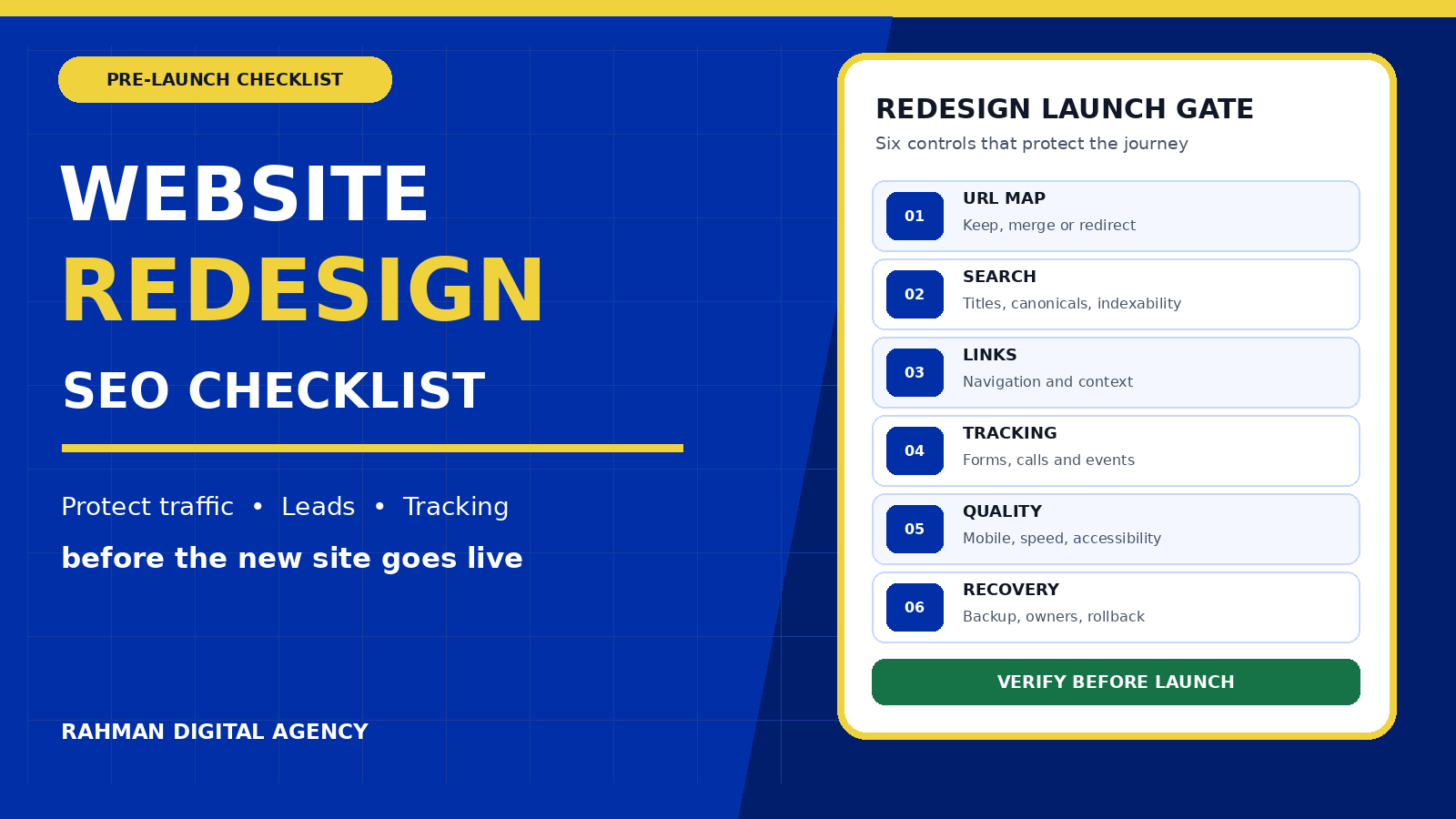
Website Redesign SEO Checklist: Protect Traffic, Leads and Tracking Before Launch

Website redesign SEO checklist covering URL mapping, search signals, tracking, mobile quality and rollback

Pre-launch guide

A website redesign should improve the experience without making valuable pages disappear, breaking lead journeys or leaving your measurement blind. The safest projects treat search visibility, conversion paths and tracking as launch requirements—not tasks to revisit after the new design is live.

This website redesign SEO checklist is for business owners, marketers and project leads planning a substantial visual or structural change. It covers what to record before development, what to preserve during the build, how to test the release, and what to monitor after launch.

If you are still defining objectives, content and required functionality, start with our website design brief checklist. Then use this guide to turn those requirements into a controlled migration and acceptance plan.

Website redesign SEO checklist: the short version

Do not approve launch until the project team can show evidence for these twelve controls:

  • Baseline: current organic landing pages, enquiries, calls, forms and priority search journeys are recorded.
  • Content inventory: every important URL has an owner and a keep, improve, merge, redirect or retire decision.
  • URL map: every changed or removed address maps to the most relevant live destination.
  • Search signals: titles, descriptions, headings, canonicals, indexability and structured data have been reviewed.
  • Internal links: navigation, contextual links, breadcrumbs and important orphan-page risks have been tested.
  • Tracking: analytics, advertising tags, consent behaviour and meaningful lead events work in the new build.
  • Lead paths: forms, telephone links, WhatsApp actions, email links and thank-you states work for logged-out visitors.
  • Performance: priority templates meet agreed mobile speed and stability criteria.
  • Accessibility: keyboard use, focus, labels, contrast, zoom and error recovery are included in acceptance testing.
  • Crawlability: production pages are not blocked or left with staging noindex directives.
  • Release plan: backups, deployment owner, DNS or hosting dependencies, rollback triggers and responsibilities are written down.
  • Monitoring: the team has a post-launch schedule for crawl errors, indexing, traffic, leads and technical defects.
1

Record the baseline before design work changes the evidence

A redesign needs a measurable starting point. Export or record the pages that currently attract qualified organic visits, generate enquiries, support paid campaigns, earn external links, or help prospects make a decision. Include service pages, location pages, guides, tools, contact routes and confirmation pages.

Do not judge value from traffic alone. A low-traffic page may support a valuable search query, assist a sale, answer an objection or serve as the destination for an advertisement. Combine search data, analytics, form or CRM evidence, and stakeholder knowledge. Note the reporting window and any known measurement gaps so the team does not compare unlike periods later.

Baseline pack: URL, page purpose, primary audience, organic clicks and impressions, sessions, useful lead actions, backlinks where available, current title and H1, canonical, indexability, status code, last meaningful update and business owner.

Capture representative screenshots and key template behaviour on desktop and mobile. This is not only a visual archive; it records calls to action, form fields, disclaimers, trust elements and content that can be accidentally omitted when attention shifts to the new layout.

2

Create a page-by-page content and URL decision

Build one inventory that connects the current site to the proposed site. Give each existing indexable URL one clear decision:

  • Keep: the address and purpose remain substantially the same.
  • Improve: the address remains, while content or design becomes more useful.
  • Merge: overlapping pages become one stronger destination.
  • Move: the content needs a new address and a permanent redirect.
  • Retire: the page no longer serves users and has no relevant replacement.

Preserving a useful URL is usually simpler than changing it for visual neatness. When an address must change, map the old URL directly to the closest relevant new page. Avoid sending every removed page to the homepage; that fails to preserve the visitor’s intent and makes the migration harder to diagnose.

Google’s site-move guidance recommends preparing a mapping from old URLs to new URLs and setting up server-side permanent redirects. The mapping should include images, downloadable files and campaign landing pages when those assets are moving too.

Example: if /services/web-design/ becomes /website-design/, the old service URL should redirect directly to the new service page. An old case study should map to its successor or a closely relevant portfolio page—not automatically to the homepage.
3

Protect page intent, headings and internal links

A redesigned page can look better while becoming less clear. For each priority URL, state the visitor’s question, the service or topic, and the next useful action. Keep important answers in crawlable text rather than hiding everything behind sliders, images or interaction states.

Review the document title, meta description, one visible H1, descriptive H2 and H3 structure, image alternatives, link text and calls to action. Headings should describe the content that follows. Internal links should help both visitors and search engines move from supporting guides to service pages, related evidence and contact routes.

Update links in the page body, navigation, footer, breadcrumbs, related-content blocks and structured data so they point directly to final destinations. Relying on redirects for internal navigation wastes a useful opportunity to make the new architecture explicit.

Avoid accidental consolidation: two pages that look similar can serve different audiences or search intents. Merge them only when the replacement genuinely covers both needs. Keep the stronger content, relevant examples and useful links rather than choosing a winner from page titles alone.
4

Align redirects, canonicals, sitemaps and index controls

A permanent move needs consistent signals. Google documents 301 and 308 server-side redirects as permanent redirects, and it treats redirects as a strong canonical signal. Test each redirect from the old address to the intended final URL, including uppercase variants, trailing-slash patterns and commonly linked parameters where they matter.

Each live page should have a canonical that matches the preferred public URL unless there is a deliberate reason to point elsewhere. Google’s canonical guidance explains that redirects, rel="canonical" and sitemap inclusion are signals used to identify the preferred version. Do not make them disagree.

  • Remove staging passwords or blocks only when production is ready.
  • Check that copied noindex directives are not left on public pages.
  • Keep admin, cart, account or internal search areas controlled as intended.
  • Generate a sitemap containing preferred, indexable, successful URLs—not redirects or error pages.
  • Update robots.txt carefully; it is not a substitute for a page-level indexing decision.
  • Use Google Search Console’s Change of Address process only when the site is moving from one domain or subdomain to another, not for an ordinary redesign on the same host.

If the redesign also changes domain, protocol, hosting and content, separate the work where practical. Fewer simultaneous variables make problems easier to identify and reverse.

5

Rebuild measurement around real business actions

Tags can disappear when templates, consent tools, forms or thank-you behaviour change. Start with a measurement plan that names each action, where it occurs, what success looks like and which platform should receive it.

JourneyAcceptance testEvidence to retain
Contact formOne valid submission reaches the intended destination and produces one success eventSubmission reference, event name, destination and visible success state
Telephone linkThe number is readable, tappable on mobile and measured without blocking the callRendered link, device test and received event
WhatsApp or chatThe correct account and prefilled context open; the control does not cover contentDestination, event and mobile overlay check
Paid landing pageConsent and tags behave as designed; campaign parameters survive navigation where requiredTag diagnostics and final landing URL
Thank-you stateRefresh, validation errors and repeat actions do not create misleading duplicate outcomesNormal, error and repeat test results

Use browser and platform diagnostics rather than trusting that a container published successfully. Google Analytics provides DebugView for monitoring events from a debug-enabled device. Validate parameters, consent behaviour and event duplication as well as the event name. Then confirm important advertising and analytics actions in the relevant receiving platforms.

If your current measurement is incomplete, RDA’s Google Tag Manager setup service can help translate lead journeys into a maintainable implementation. Our guide to GA4 and GTM conversion tracking explains the wider setup context.

6

Set mobile performance criteria before the design is final

Performance is easier to protect when it is a design constraint. Large hero media, multiple font files, animation libraries, third-party widgets and oversized JavaScript can turn a polished prototype into a slow public page.

The current Core Web Vitals guidance defines “good” thresholds as Largest Contentful Paint within 2.5 seconds, Interaction to Next Paint within 200 milliseconds, and Cumulative Layout Shift no greater than 0.1, assessed at the 75th percentile of page loads. These field-oriented targets are useful acceptance criteria, but a launch review should also include repeatable laboratory checks and real mobile interaction.

  • Optimise the main image for its displayed size and format.
  • Reserve image and embedded-media dimensions to reduce layout movement.
  • Load non-critical media and scripts only when needed.
  • Keep primary navigation and calls to action usable before optional widgets finish.
  • Test a representative service page, article, form and commerce template rather than only the homepage.

Record the device, connection profile, page, test tool and result. A single perfect desktop score does not describe how a prospect experiences the site on a mid-range phone.

7

Include accessibility in acceptance testing

Accessibility supports people who use keyboards, screen readers, zoom, voice input or different visual settings. It also exposes weak interaction design that can affect any visitor.

Use the W3C’s Web Content Accessibility Guidelines (WCAG) 2.2 as the technical reference appropriate to your project. Automated scans can find some problems, but they cannot confirm whether content is understandable or whether a complete journey works with assistive technology.

  • Every interactive control can be reached and operated with a keyboard.
  • Focus is visible and does not disappear behind sticky headers or floating controls.
  • Form fields have programmatic labels, instructions and useful error messages.
  • Text and controls retain sufficient contrast in default, hover, focus and disabled states.
  • Heading order and landmarks make the page understandable out of visual context.
  • Meaningful images have useful alternatives; decorative images are handled appropriately.
  • The page remains usable when text is enlarged and at a narrow mobile width.
8

Test complete lead journeys, not isolated components

A form can pass a visual test and still fail the business. Test from the public landing page through submission, notification, CRM or inbox delivery, confirmation, analytics and follow-up ownership. Use safe test details and clearly identify test records so they are not mistaken for real prospects.

Check required fields, invalid formats, long entries, duplicate clicks, slow responses, file uploads where used, spam controls and privacy or consent text. Confirm the visitor sees a useful success or error state and knows what happens next.

On mobile, inspect floating contact buttons, cookie controls and sticky navigation at the top, middle and bottom of the page. A widget that covers a submit button or key paragraph can damage a journey even when automated accessibility or link checks pass.

Ownership question: who receives each type of enquiry, how quickly should it be reviewed, and what happens when the normal recipient is unavailable? A redesign is an opportunity to fix the handoff—not merely restyle the form.

A practical launch gate

Require a named owner to sign off each release area: content, redirects, technical SEO, accessibility, performance, measurement, forms, security, hosting and rollback. “The website looks ready” is not enough.

  • Pass: the evidence meets the agreed requirement.
  • Conditional pass: a documented minor issue has an owner, due date and acceptable temporary control.
  • Fail: the defect can block discovery, break a priority journey, corrupt measurement, expose data or make rollback unsafe.

Do not hide release blockers inside a long snagging list. Separate them from cosmetic improvements so decision-makers can see whether the site is safe to launch.

Launch-day sequence

  1. Freeze unplanned content and configuration changes.
  2. Take restorable backups of the website, database and critical configuration.
  3. Confirm DNS, certificates, hosting, cache, CDN and email dependencies.
  4. Deploy the approved build and apply the final redirect map.
  5. Remove staging-only restrictions and confirm intended production indexability.
  6. Test priority URLs, redirects, canonicals, sitemap, structured data and navigation.
  7. Complete logged-out desktop and mobile lead journeys.
  8. Validate analytics and advertising events without polluting business reports with uncontrolled tests.
  9. Check server logs, browser errors, broken resources and unexpected status codes.
  10. Record the release time, version, owners, known issues and rollback decision point.

For larger sites, release during a period when the responsible technical, marketing and business owners are available. A quiet traffic window is not useful if nobody can approve a rollback or diagnose a failed integration.

What to monitor after launch

Review the site more frequently in the first days, then continue at agreed weekly and monthly intervals. Compare against the documented baseline while accounting for normal demand, campaigns and reporting delays.

  • Old URLs returning 404 or redirecting to irrelevant destinations.
  • Priority pages becoming excluded, duplicated or unexpectedly canonicalised elsewhere.
  • Sitemap processing and important-page discovery in Search Console.
  • Organic landing-page changes by page and query group, not only sitewide totals.
  • Form, call, WhatsApp and other lead actions from source to destination.
  • Mobile performance and layout shifts on real templates.
  • Browser, application and server errors.
  • Sales-team reports of missing context, poor lead routing or broken follow-up.

Not every movement is caused by the redesign, and reporting systems do not update at the same speed. Investigate page-level evidence before rewriting content or reversing a technical decision. When a defect is clear, fix the narrowest responsible layer and retest the full journey.

Worked example: a service-business redesign

Imagine a consultancy replacing an old five-page site with a new service-led structure. The current homepage receives branded visits, two service pages attract non-branded searches, and the contact form records a thank-you page as a lead.

A weak migration publishes the new design, renames every URL, links all old pages to the homepage, and installs the analytics tag without testing the form. The site appears modern, but search visitors reach less relevant destinations and the team cannot tell whether enquiries stopped or measurement broke.

A controlled migration keeps the two proven service URLs where practical, maps each changed address to a relevant replacement, retains the useful questions and proof from the old pages, and updates internal links. The team tests the contact form from page load to inbox and analytics, checks mobile performance and keyboard use, submits the clean sitemap, and reviews errors daily after release. The redesign is then a managed business change rather than a visual gamble.

Questions to ask a redesign partner

Will you keep our current URLs?

The right answer depends on the architecture, but the partner should be able to explain which URLs can stay, which must change, and how every changed or removed URL will be mapped and tested.

Who owns the redirect map and SEO acceptance tests?

Ownership should be explicit. Design, development, SEO and content teams can all contribute, but one accountable person should maintain the final map and release evidence.

How will you prove that tracking still works?

Expect a measurement plan, diagnostic evidence from the browser or tag tools, received events in the destination platforms, duplicate checks and complete tests of meaningful lead journeys.

What happens if the launch fails?

The proposal should name the backup, rollback method, decision owner, time limit and conditions that trigger restoration. A backup is only useful when the team knows how to restore it.

How will we manage the site after handover?

Ask for business-owned accounts, documented dependencies, administrator training, update responsibilities, licences, support boundaries and a safe method for future changes.

Official references used in this checklist

Planning a website redesign?

Rahman Digital Agency can help you plan and build a website around clear services, responsive usability, search-safe structure and measurable lead journeys. Bring your current site, goals and known constraints; we will help turn them into a practical redesign scope and launch plan.

Explore RDA services Discuss your redesign
Posted on

Website Design Brief Checklist for Bangladesh Businesses: What to Prepare Before Requesting a Quote

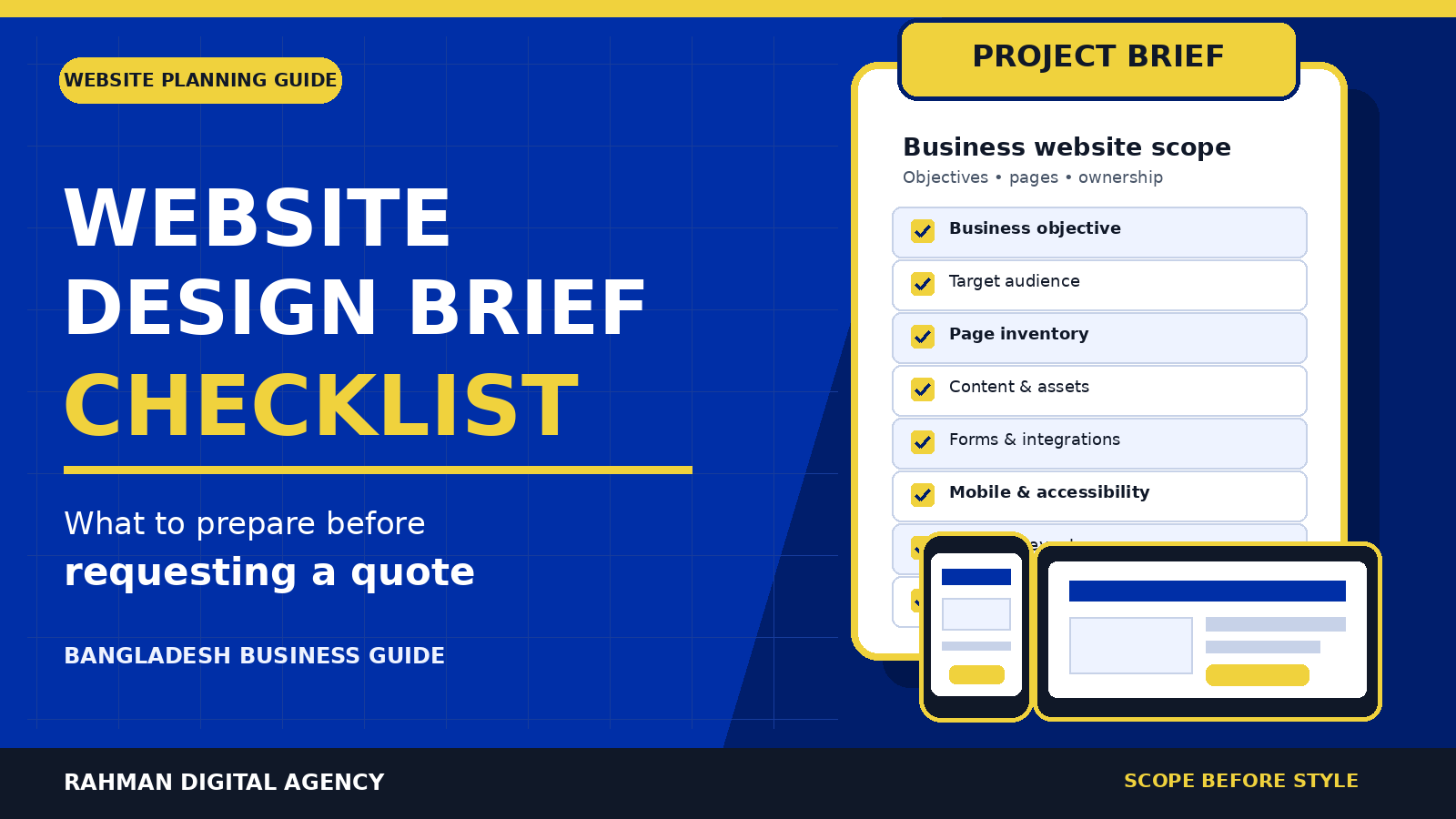
Website design brief checklist beside desktop and mobile wireframes in Rahman Digital Agency blue and gold

Website planning for Bangladesh businesses

This website design brief checklist helps a Bangladesh business define what its website must do, who it serves, what must be built, and how success will be measured before asking agencies or developers for quotations.

Short answer: A useful website design brief should state the business objective, target audience, service area, required pages, content ownership, features, integrations, primary conversion action, accessibility and performance expectations, analytics needs, technical ownership, timeline, decision-makers, and post-launch responsibilities. When every bidder receives the same information, their quotations become easier to compare.

Why write a website brief before requesting a quote?

“We need a modern business website” is not enough information for a responsible quotation. One supplier may assume five pages and a basic contact form. Another may include copywriting, multilingual content, booking, CRM integration, analytics, speed work, training, and ongoing support. The two prices would describe different projects.

A brief does not need to prescribe every colour or screen. Its job is to make the important decisions and unknowns visible. This reduces vague allowances, prevents important requirements from appearing late, and gives you a shared reference for reviewing the finished site.

Weak request: “Please quote for a professional website for our company.”

Decision-ready request: “We need an English-language website for a Dhaka-based B2B engineering firm. The primary action is a qualified project enquiry. The first release needs eight core pages, three reusable case-study layouts, a quotation form with file upload, GA4 event measurement, Search Console setup, administrator training, and documented ownership at handover.”

If you are still setting a budget, use our separate guide to website design cost in Bangladesh. This article intentionally focuses on scope, not price bands.

1. State the business objective and primary conversion

Start with the business problem, not a list of visual preferences. Is the website intended to generate enquiries, support sales conversations, accept bookings, sell products, recruit staff, build credibility for tenders, or reduce repetitive support requests? You may have several goals, but name one primary outcome for the first release.

Define the action a valuable visitor should take

  • Submit a detailed quotation or consultation request
  • Call or message the sales team
  • Book an appointment or demonstration
  • Buy a product or complete checkout
  • Download a technical document after providing appropriate details
  • Visit a location or request directions

Then define what makes that action qualified. For example, an architecture firm may ask for project type, site location, approximate area, intended start date, and whether the visitor is the decision-maker. A concise form may create less friction, while a detailed form can help route complex enquiries. The right balance depends on your sales process.

Put this in the brief: “The primary conversion is a project enquiry from organisations in Bangladesh requiring [service]. A useful enquiry should include [fields]. Secondary actions are phone and WhatsApp contact. The website must not claim that an enquiry guarantees availability, cost, or outcome.”

2. Describe the audience, location, and buying context

“Everyone” is not a target audience. Give the designer enough context to make decisions about language, examples, navigation, proof, forms, and calls to action.

  • Customer type: consumer, small business, corporate procurement team, government body, nonprofit, or a mix
  • Decision-maker: founder, marketing manager, operations lead, procurement officer, technical evaluator, or family member
  • Service geography: Khulna, Dhaka, all Bangladesh, selected districts, the United Kingdom, or remote/global
  • Language: English, Bangla, or a genuinely maintained bilingual experience
  • Device and context: mobile visitors on limited bandwidth, office users comparing vendors, or returning customers seeking support
  • Questions and objections: eligibility, process, timing, trust, compatibility, ownership, or support

Do not request location pages for places you do not serve. If a service is remote, explain the operational coverage honestly. The brief should also identify audiences the website is not designed to attract, which can improve both messaging and lead qualification.

3. Build a page inventory before discussing design

A quotation should be based on a page or template inventory. “Ten pages” can still be ambiguous: ten individually designed pages are different from one reusable service template populated nine times.

Page or templatePurposePrimary actionOwner before launch
HomeExplain positioning and route visitorsRequest a consultationClient approves; agency edits
Service overviewCompare service categoriesOpen a specific serviceShared
Service detail templateExplain fit, process, evidence, FAQsSend a relevant enquiryShared
AboutEstablish credentials and operating contextReview services or contactClient supplies facts
Case-study templateShow documented work without exaggerationDiscuss a similar projectClient supplies approved evidence
Insights or blogPublish useful, maintained expertiseContinue to a service or related guideNamed content owner
ContactCollect and route qualified enquiriesSubmit form or callShared
Policy pagesPublish approved privacy and commercial termsRead policyClient/legal adviser

Add every special state: form confirmation, no search results, 404, empty cart, out-of-stock product, password reset, or account pages. For an existing site, identify URLs that must remain, change, redirect, or be retired. A redesign without a URL and redirect plan can break useful links and search visibility.

4. Confirm who supplies copy, images, logos, and proof

Content delays many website projects because “content provided by client” appears in a proposal without naming the content, format, owner, or due date. Inventory what exists and what must be created.

Copy and factual material

  • Approved company name, address, service areas, phone numbers, and opening hours
  • Service descriptions, process, eligibility, exclusions, and frequently asked questions
  • Team biographies and credentials that can be verified
  • Case studies with client permission and evidence for every claim
  • Policies reviewed by the appropriate professional where necessary

Visual assets

  • Vector logo files and brand guidelines—not only a small screenshot
  • Original photography, product images, portfolio work, and usage rights
  • Headshots, certificates, partner marks, and written permission to display them
  • Meaningful image descriptions for alternative text

If assets are missing, ask the proposal to separate writing, editing, translation, photography, illustration, and stock licensing. Also state whether placeholder text is acceptable during development and who gives final factual approval.

5. Specify functions and integrations as workflows

A feature name rarely describes the whole requirement. “Booking,” “payment,” “CRM,” or “WhatsApp” can represent many different workflows. Explain the people, data, rules, and expected outcome.

For each feature, answer six questions

  1. Who can start the workflow?
  2. What information do they provide?
  3. What validation, consent, eligibility, or availability rules apply?
  4. Which system receives the data?
  5. Who is notified, and what should they do next?
  6. What happens when the integration fails?

For example, a “quotation form” may require file uploads, spam protection, confirmation email, internal routing by service, CRM creation, source attribution, retention rules, and a useful error state. If the project depends on third-party software, name the current plan, account owner, known API limits, and whether subscription fees are included.

Security rule: Never place passwords, API keys, payment secrets, or customer data in the project brief. List the system and account owner, then provide access later through an approved secure method with the least privilege needed.

6. Make mobile, performance, accessibility, and SEO testable

Words such as “fast,” “mobile-friendly,” “SEO-ready,” and “accessible” invite different interpretations. Turn them into acceptance criteria and ask how they will be verified.

Mobile content and function

Google documents that it uses the mobile version of site content for indexing and ranking. The mobile-first indexing guidance recommends equivalent primary content, headings, structured data, and image alternative text across versions. Your brief should therefore require that essential copy, links, forms, and structured information remain available on mobile—not merely a visually reduced version.

Performance

Ask for a realistic performance budget, the test environment, and who controls third-party scripts. Google explains that Core Web Vitals are used by its ranking systems, while also warning that good scores alone do not guarantee top rankings. Define whether testing covers representative mobile devices and networks, not only a developer’s desktop.

Accessibility

State an accessibility target and require keyboard, focus, form-label, error-message, zoom, and contrast checks. For reference, WCAG 2.2 guidance describes a minimum contrast ratio of 4.5:1 for normal text and 3:1 for large text, subject to its exceptions. Its target-size guidance describes a 24 by 24 CSS pixel minimum or sufficient spacing, again with documented exceptions. Treat these as measurable requirements rather than assuming a plugin will make the site accessible.

SEO foundations

Request editable titles and descriptions, one clear page topic, logical headings, descriptive URLs, crawl controls, canonical handling, XML sitemap behavior, image alternative text, internal linking, structured data where appropriate, and a redirect map for changed URLs. Google’s SEO Starter Guide is a useful baseline, but no developer or agency can truthfully guarantee a ranking.

7. Define measurement, events, privacy, and consent

“Install Google Analytics” is not a measurement plan. Name the business actions that need to be recorded and the decisions the data should support. Google Analytics defines an event as a way to measure a distinct interaction or occurrence; its event documentation also distinguishes recommended and custom events.

A practical measurement section can include:

  • Successful quotation or contact-form submission
  • Qualified phone or WhatsApp click, with the limits of click-based measurement stated
  • Booking completion, account registration, purchase, or payment confirmation
  • Important document download or video interaction when it supports a real business decision
  • Campaign parameters, referrer preservation, and cross-domain behavior where required
  • Internal and test traffic exclusions
  • Consent behavior, data retention, and responsibility for the privacy notice
  • GA4, Tag Manager, Search Console, advertising, CRM, and reporting access ownership

Ask for a validation record before launch: event name, trigger, test action, observed result, destination, and any limitation. Tracking should not be considered complete merely because a tag exists.

8. Protect domain, hosting, accounts, code, and handover

Your brief should identify who owns and administers each operational asset. Otherwise, the site may launch while the business lacks access needed for maintenance, measurement, or a future supplier change.

  • Domain registration and DNS
  • Hosting, backups, staging, SSL, and email delivery
  • WordPress administrator accounts and plugin licences
  • Analytics, Tag Manager, Search Console, advertising, maps, and business profiles
  • Source files, custom code, repositories, fonts, photographs, and licences
  • Forms, CRM, booking, payment, live chat, and messaging integrations

State what the final handover includes: administrator access, account inventory, backup and restore instructions, update procedure, design/source files, licences, training, known limitations, and an agreed period for correcting in-scope defects. Avoid shared administrator logins; each person should have an appropriate account.

9. Provide a timeline, stakeholders, and approval process

A target launch date is meaningful only when paired with dependencies. Mention events such as an office opening, product release, tender, or campaign, but distinguish a preferred date from a fixed operational deadline.

List the internal stakeholders and give one person authority to consolidate feedback. Define review rounds, response times, and acceptance. For example:

  • Discovery and confirmed scope
  • Information architecture and page inventory approval
  • Content delivery and factual review
  • Design direction and reusable component approval
  • Development on staging
  • Content population and integration testing
  • Mobile, accessibility, performance, SEO, form, and analytics QA
  • Redirects, backups, launch, and post-launch verification
  • Training, documentation, and handover

Also state the change-control rule. A new payment flow, language, portal, integration, or content type after scope approval may require a separate estimate. That is easier to manage when the original scope is explicit.

10. Copyable website request-for-quote checklist

Copy the list below into your document or email and answer every relevant item. Write “not yet decided” rather than leaving a requirement silently ambiguous.

  • Business name, website URL, contact person, and decision-maker
  • What the organisation provides and why the website project is needed now
  • Primary objective and primary visitor conversion
  • Target audiences, locations, languages, and exclusions
  • Current-site strengths, weaknesses, and evidence available
  • Required pages, reusable templates, and navigation outline
  • Existing URLs to retain, redirect, or retire
  • Who writes, edits, translates, and approves each content type
  • Available brand files, photography, portfolio assets, and usage rights
  • Forms, search, booking, payment, account, portal, or e-commerce workflows
  • Required CRM, email, calendar, map, chat, accounting, or other integrations
  • Mobile content and functionality expectations
  • Performance testing method and third-party script constraints
  • Accessibility target and required manual checks
  • SEO deliverables, migration requirements, structured data, and redirects
  • Events or conversions to measure and where data should appear
  • Consent, privacy, retention, and policy responsibilities
  • Domain, DNS, hosting, email, analytics, and platform account owners
  • Administrator roles, source files, licences, backups, training, and handover
  • Target date, fixed dependencies, reviewer names, and approval process
  • Maintenance, support, warranty, reporting, and future roadmap
  • Budget range or constraints, and which optional items should be priced separately
  • Proposal format: assumptions, exclusions, milestones, payment schedule, and change control

How to compare website quotations fairly

Do not compare only the total. Put proposals side by side against the same brief and mark each item as included, excluded, optional, assumed, or unanswered.

CompareWhat to look for
ScopeNamed pages, templates, states, content volume, languages, and integrations
ResponsibilitiesWho supplies copy, assets, approvals, access, policy text, and data
Quality assuranceSpecific devices, browsers, accessibility checks, performance tests, forms, events, links, and redirects
OwnershipDomain, hosting, accounts, code, licences, source files, and portability
DeliveryMilestones, dependencies, feedback limits, launch support, training, and documentation
Ongoing costHosting, premium software, support, updates, backups, content, and third-party subscriptions
EvidenceRelevant work, transparent process, verifiable claims, and willingness to state limitations

The cheapest proposal can become expensive if essential work is absent. A higher proposal is not automatically better either. The best fit is the supplier that understands the objective, exposes assumptions, proposes a maintainable solution, and gives you a credible way to verify delivery.

When evaluating a broader partner rather than only a build, our guide to choosing a digital marketing agency in Bangladesh provides a separate due-diligence checklist.

Turn the checklist into a one-page brief

A long specification is not always necessary. For a straightforward business website, start with one page covering the objective, audience, pages, features, content ownership, quality requirements, accounts, timeline, and decision process. Attach supporting materials and let bidders identify unresolved risks.

The brief should create a better conversation, not prevent professional advice. A capable supplier may recommend a smaller first release, a different workflow, or an investigation before fixed pricing. What matters is that changes are explained against your actual business requirements.

Need help shaping or building the website?

Rahman Digital Agency designs business websites with the scope, mobile experience, measurement, SEO foundations, and ownership decisions made visible before launch. Send the completed checklist—or your current notes—for a focused discussion.

Discuss your website brief