SEO and lead-generation audit
A useful SEO audit does more than list technical warnings. It shows whether search engines can access the right pages, whether those pages answer a real customer need, and whether organic visitors can become qualified enquiries.
Service-business SEO can look healthy while quietly underperforming. A site may have hundreds of indexed URLs but no clear page for its most valuable service. A page may attract impressions but send visitors to an unclear next step. A form may appear to work yet fail to create a reliable sales record. Publishing more articles does not repair those faults.
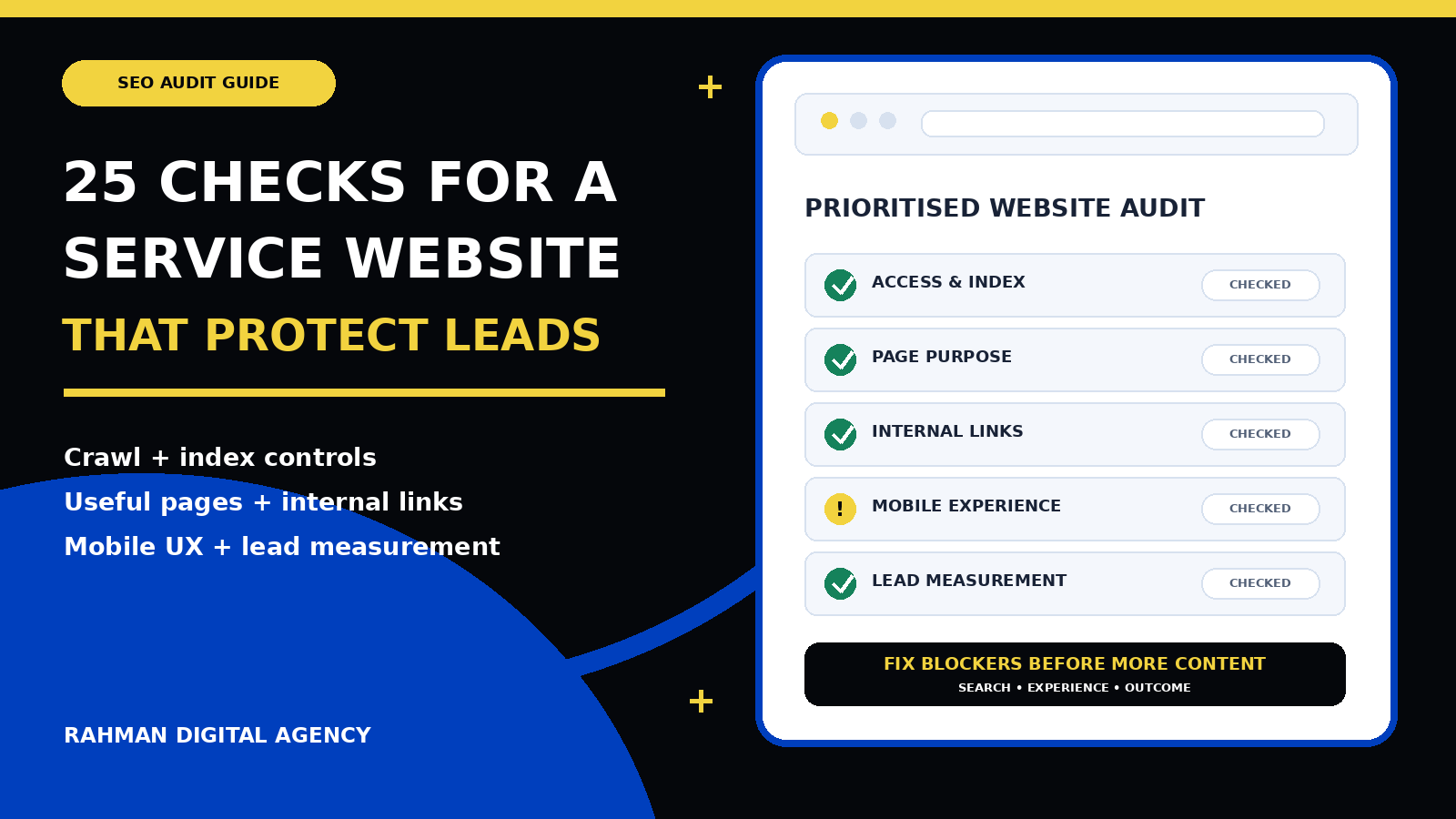
This 25-point SEO audit checklist is designed for agencies, consultancies, professional services, local operators and other businesses that depend on enquiries rather than an immediate online purchase. It combines search accessibility, page quality, information architecture, user experience and lead measurement. If your website also needs a stronger commercial journey, use it alongside RDA’s guide to building a lead generation website for a service business.
Start with a small, evidence-based audit scope
Do not begin by exporting every warning from every tool. First identify the services that matter, the pages intended to represent them, and the actions a suitable prospect should take. Choose a sample that includes the homepage, one core service page, one supporting article, one proof page and the contact or booking path. This gives the audit a customer journey rather than a random collection of URLs.
Business layer
Which services, locations and customer types are priorities? What makes an enquiry suitable, and which page should help that visitor decide?
Search layer
Which pages appear in search, for which queries, and with what clicks, impressions and landing-page behaviour?
Experience layer
Can a mobile visitor understand the offer, inspect relevant proof and complete the next step without obstruction?
Operations layer
Does a completed enquiry reach the correct person or system, retain useful source context and receive a recorded outcome?
Phase 1: Crawlability and index control
Confirm that search engines can reach the right public pages and are not being directed toward the wrong versions.
Check the final HTTP status and crawl path
Every important public page should resolve to the intended URL and return a successful status. Follow redirects from internal links, old URLs, HTTP versions and common campaign links. Long redirect chains waste time for people and crawlers; redirect loops and soft error pages can hide the destination entirely.
Google’s technical requirements describe access by Googlebot, a successful HTTP status and indexable content as basic eligibility conditions. These are entry requirements, not a complete quality assessment.
Review robots.txt, meta robots and response headers
Check whether the site blocks crawling in robots.txt, applies a page-level noindex, or sends an X-Robots-Tag header. A staging rule, template setting or plugin option can exclude commercially important pages without changing their appearance.
Google’s robots meta documentation explains how page and resource directives affect indexing and presentation. Review the live response rather than relying only on an editor checkbox.
Verify canonical URLs and duplicate versions
A canonical tag should identify the preferred version of a page. Check protocol, hostname, trailing slash, parameters, pagination, print views and other duplicates. A canonical that points to an unrelated page can cause the wrong URL to be treated as representative.
Canonical tags are signals, not a substitute for consistent architecture. Google’s canonicalization guidance recommends aligning signals such as redirects, canonicals and sitemap URLs.
Audit XML sitemaps for preferred, live pages
A sitemap should contain clean canonical URLs that are useful to discover. Remove redirected, broken, duplicate, private or intentionally non-indexable entries. Split large or operationally different groups when that makes ownership and diagnosis clearer.
Google notes in its sitemap guidance that submitting a sitemap is a hint. It does not override weak pages, contradictory directives or broken navigation.
Confirm mobile content and metadata parity
Important service details, headings, links, images, structured data and metadata should not disappear on the mobile version. Accordions are acceptable when their content remains available and usable; removing essential proof or navigation to simplify a layout is not.
Google’s mobile-first indexing guidance emphasises equivalent content and signals on mobile. Audit with the actual rendered mobile page, not only a desktop crawler.
Phase 2: Page purpose, intent and content quality
Make sure each important URL has a distinct job and helps the visitor make a real decision.
Assign one primary purpose to every important page
A service page should explain and convert that service. A guide should answer a defined question and connect the reader to a relevant next step. A case study should provide verifiable context and proof. When several URLs target the same purpose, they may compete, confuse internal linking and divide maintenance effort.
Check titles, visible headings and descriptions as a set
The document title should identify the page clearly in search and browser tabs. The visible main heading should confirm that destination to the visitor. The description should summarise the value accurately rather than repeating the same phrase or making unsupported promises.
Check the rendered page for theme-inserted or hidden duplicate headings. A page can contain two H1 elements in source while only one is visible—or hide a real duplicate with layout rules. Geometry and visibility matter.
Match the page to the customer’s search intent
Search intent is not just a keyword label. A person comparing agencies needs scope, ownership, process, proof and evaluation criteria. Someone diagnosing a tracking problem needs a test path. A buyer requesting a quote needs service fit and a low-friction next step.
Use Search Console queries, sales questions, internal search and customer conversations to understand the decision behind the wording. Do not force an informational article to perform the job of a service page or vice versa.
Assess whether the content is genuinely useful and complete
Useful content gives the reader enough context to act: definitions, boundaries, examples, steps, trade-offs and a route to deeper information. Thin pages often repeat broad claims, add place names to a template, or summarise a topic without resolving the decision.
Google’s guidance on helpful, reliable, people-first content asks whether material serves an intended audience and demonstrates first-hand expertise and depth. Use those questions as an editorial review, not a box-ticking score.
Verify claims, proof and business information
Confirm service areas, credentials, case-study outcomes, prices, dates, product capabilities and team information. Add source context where a claim depends on an external authority. Replace unqualified “best,” “guaranteed” and universal outcome language with accurate scope and relevant evidence.
Proof should match the decision. A project example is more helpful when it explains the starting problem, work completed and limitations than when it shows only a logo. Ownership and access details also matter: the client should know what they retain after an engagement.
Phase 3: Service architecture and internal links
Help visitors and crawlers move from broad context to a specific service, supporting proof and a clear next step.
Map core services to dedicated, substantial pages
Commercially important services usually need distinct pages when they solve different problems, involve different deliverables or support different customer decisions. Avoid one generic “services” page that mentions everything briefly, but also avoid splitting one service into several near-identical URLs.
Use RDA’s website design and development service as an example of a commercial destination that supporting guides can reference. The service page should own the main commercial intent; articles should answer narrower questions.
Review contextual internal links and anchor text
Internal links should help a reader take the next logical step. Use descriptive anchor text that explains the destination. Link supporting articles to the relevant service page, and link service pages to proof and useful guides where that improves the decision.
Google’s SEO Starter Guide recommends logical organisation and descriptive links. Navigation menus matter, but contextual links show the relationship between a specific question and its answer.
Find orphaned and buried pages
An orphan page has no useful internal route from the site. A buried page may require many clicks through archives or filters. Sitemaps can assist discovery, but they do not create a coherent customer journey.
Use readable URLs, navigation and breadcrumbs
URLs should remain stable, concise and meaningful enough to identify the page. Navigation should reflect how customers explore the offer rather than the organisation chart. Breadcrumbs can provide context on deeper content, particularly where several service or resource groups exist.
Do not change established URLs merely to insert a phrase. A URL migration requires redirects, updated internal links, refreshed canonicals and testing. If a wider rebuild is planned, follow a website redesign SEO checklist before launch.
Consolidate duplicate, thin and templated location pages
Location pages are useful when the business genuinely serves those areas and can provide distinct, accurate information. Pages created by swapping a city name while keeping the same generic copy rarely help a buyer. Similar service variants may also belong on one strong page unless the customer decision differs materially.
Phase 4: Mobile experience, speed and page semantics
Search visibility is less valuable when the public page is slow, unreadable or blocks the next step.
Measure Core Web Vitals with field and lab evidence
Google’s Core Web Vitals guidance identifies good-experience thresholds of Largest Contentful Paint within 2.5 seconds, Interaction to Next Paint below 200 milliseconds and Cumulative Layout Shift below 0.1. Field data reflects real users where enough data exists; lab testing helps reproduce and diagnose individual templates.
Prioritise causes rather than chasing a score: oversized hero media, render-blocking assets, expensive scripts, delayed fonts, unstable banners and third-party widgets are common examples.
Test the complete mobile conversion path
At a narrow width, confirm that the opening message, proof and action remain visible in a sensible order. Check sticky bars, WhatsApp bubbles, chat tools, cookie controls and promotional overlays at the top, middle and bottom of the page. A floating control can obstruct form fields or buttons even when the page has no document-level overflow.
Review accessibility that affects discovery and completion
Use semantic headings, meaningful link text, persistent form labels, clear error messages, visible focus, sufficient contrast and useful image alternatives. Accessibility is not a separate cosmetic layer; it determines whether people using keyboards, assistive technology, zoom or different devices can understand and complete the journey.
Validate structured data against visible content
Structured data can provide explicit clues about a page, but it must accurately represent what visitors can see. Validate the markup, remove unsupported properties and avoid applying a type simply because a plugin offers it.
Google’s structured data introduction explains how markup can help systems understand page meaning. Eligibility for a search feature depends on additional guidelines and does not make weak content useful.
Optimise images and embedded media without losing meaning
Use appropriately sized files, modern formats where supported, explicit dimensions and lazy loading below the first view. Keep the main content available when an embed fails. Alternative text should communicate the image’s purpose rather than repeat a keyword or describe decorative shapes.
Phase 5: Search performance and qualified-lead measurement
Connect visibility with the page experience and the outcome that matters to the business.
Analyse Search Console by query and page
The Search performance report includes clicks, impressions, click-through rate and average position, with dimensions such as query and page. Use these together. A high-impression query at a poor position is different from a near-first-page query with an unhelpful snippet, and a page can receive several unrelated query groups.
Google’s Performance report documentation explains the metrics and filtering behaviour. Treat sampled or anonymised coverage carefully and keep the reporting window visible.
Track completed lead actions, not only clicks
A CTA click, form start and confirmed submission are different events. Google Analytics recommends generate_lead when a lead is generated, including a form or information request. Fire completion only after the system confirms success.
Separate meaningful routes such as successful forms, calls, WhatsApp conversations and bookings. RDA’s GA4 and GTM setup guide explains the wider measurement structure, while the WordPress form tracking guide covers form-specific implementation.
Audit the path from landing page to enquiry
For each priority organic landing page, identify the next useful action and whether visitors can reach it. A strong article may need a contextual service link before the closing CTA. A service page may need clearer proof, fit criteria or a shorter first step. The contact page should preserve enough context to route the enquiry.
Connect analytics leads to qualification and sales outcomes
Website events show that an action occurred; they do not prove that the lead was suitable. Define stages such as received, contactable, qualified, progressed and won or closed. Use consistent service and source fields without placing personal information in analytics URLs or event parameters.
Review whether the sales team can identify which page and service started the enquiry. If the handoff loses that context, content decisions may reward volume instead of fit.
Build a prioritised backlog with owners and retests
Group findings by impact, confidence, effort and dependency. A blocked service page, incorrect canonical, broken form or missing mobile content belongs ahead of minor wording or decorative improvements. Separate one-page defects from template, plugin and process causes.
Budget should follow the highest-value constraint. RDA’s small-business digital marketing budget guide can help frame investment across foundations, acquisition and measurement.
How to prioritise SEO audit findings
| Priority | Typical finding | Why it matters | Required evidence |
|---|---|---|---|
| Urgent | Core service page is blocked, noindexed, broken, redirected incorrectly or cannot complete an enquiry | Prevents discovery or removes the business outcome from a valuable journey | Live URL, response/header evidence, rendered test and rollback-safe fix |
| High | Wrong canonical, missing mobile content, duplicate commercial pages or unreliable lead event | Misstates the preferred page or makes performance impossible to interpret | Representative template samples, affected URL count and acceptance test |
| Medium | Weak internal path, incomplete service copy, slow template or unclear proof | Reduces understanding, confidence or efficient discovery | Query/page context, user journey and measurable before/after condition |
| Planned | Useful supporting content, schema enhancement or editorial consolidation | Builds depth after the core journey works | Distinct intent, owner, maintenance plan and internal-link role |
A sound audit sequence: fix access and index control first; resolve duplicate purpose and architecture next; improve page usefulness and mobile completion; verify lead measurement; then invest in additional content. This prevents a larger content library from amplifying an unresolved technical or conversion problem.
What an actionable SEO audit deliverable should include
A useful audit is a working decision document, not a screenshot archive. For each finding, include the affected URL or template, observed evidence, expected state, business impact, proposed action, owner, risk, rollback requirement and retest. Add a page map showing how core services, proof, guides and contact routes connect.
When choosing outside help, ask who will implement the work, who owns analytics and platform access, how recommendations will be tested, and what remains with your business after handover. RDA’s guide to choosing a digital marketing agency in Bangladesh provides a broader evaluation framework.
Frequently asked questions
How often should a service business run an SEO audit?
Run a focused check after material theme, plugin, domain, form, tracking or content-architecture changes. A broader review can follow a regular business cycle, but the frequency should reflect how often the site changes and how important organic enquiries are. Continuous monitoring of availability, index directives and key forms can catch urgent failures between audits.
Should an SEO audit begin with a crawler?
A crawler is useful, but begin with business priorities and representative journeys so the output has context. Crawl results can then show scale, patterns and affected templates. Tool warnings without page purpose often produce busy work.
Does every audit finding need an immediate fix?
No. Some findings are observations, some need more evidence, and some have low impact. Prioritise confirmed problems that block discovery, misrepresent the preferred page, weaken a core service journey or corrupt lead measurement. Record deferred items with a reason and review date.
Can more content solve declining organic leads?
Only when a distinct customer question or service gap exists and the underlying site can support it. First check indexing, intent, internal links, mobile experience, contact completion and qualification. More pages will not repair a broken conversion path or duplicated service intent.
What should be tested after an SEO fix?
Read the changed object back, fetch the logged-out public URL normally and with a fresh cache-busting value, inspect metadata and response state, render the affected template on desktop and mobile, test links and forms, and confirm the expected measurement. Recheck unaffected pages when the change touches a shared template or plugin.
Authoritative references
- Google Search Central: Technical requirements
- Google Search Central: Robots meta tag and X-Robots-Tag
- Google Search Central: Canonicalization
- Google Search Central: Build and submit a sitemap
- Google Search Central: Mobile-first indexing best practices
- Google Search Central: Core Web Vitals
- Google Search Central: Structured data introduction
- Google Search Central: Helpful, reliable, people-first content
- Google Search Central: SEO Starter Guide
- Search Console Help: Performance report
- Google Analytics: Recommended events
Need an SEO audit tied to qualified enquiries?
Rahman Digital Agency can review your crawl and index controls, service-page structure, internal links, mobile journey and lead measurement, then turn the findings into a prioritised implementation plan.