Website strategy for service businesses
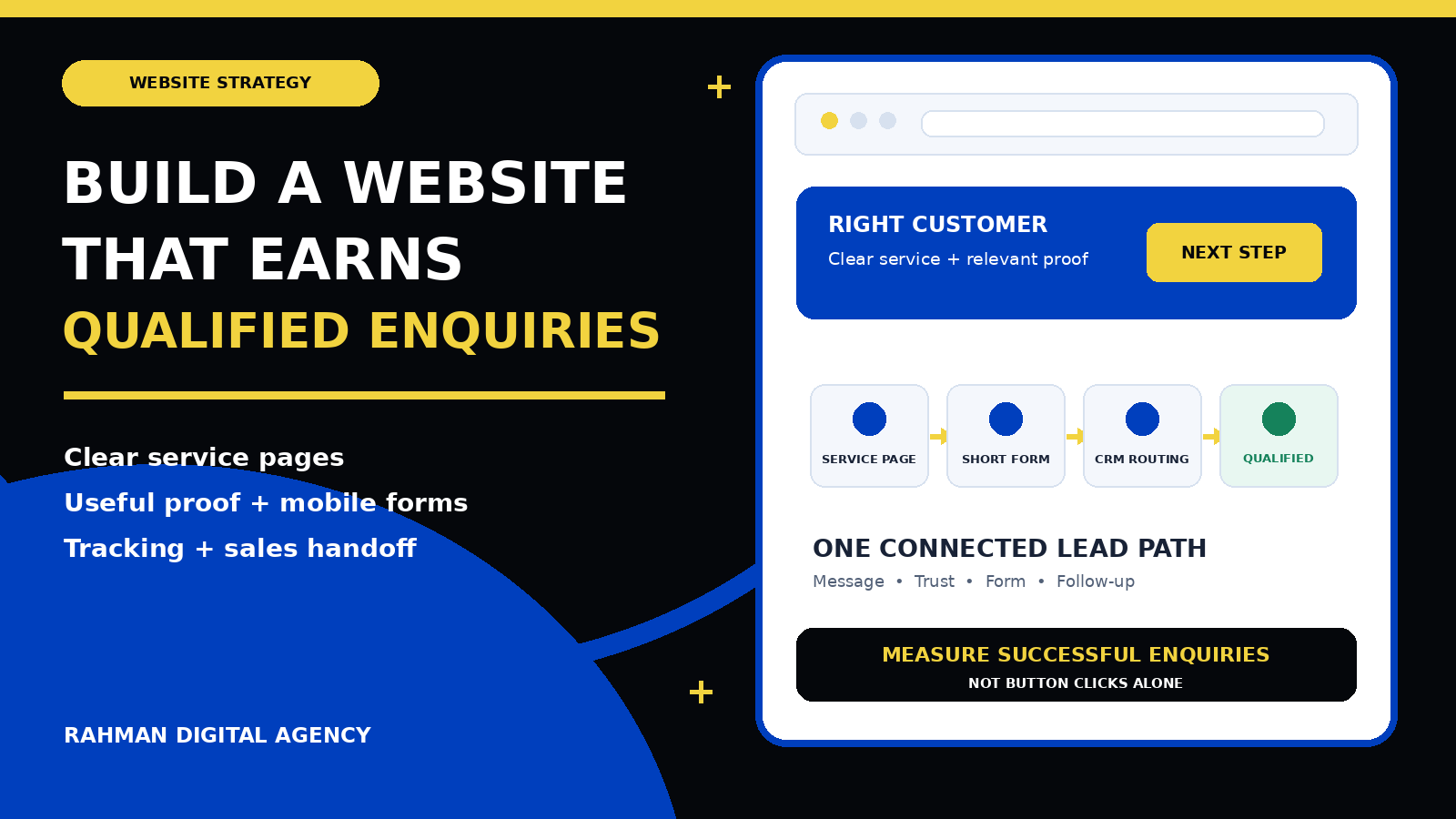
A lead generation website is not just an online brochure with a contact form. It is a connected journey that helps the right visitor understand your service, trust your business, choose a sensible next step and reach the right person with enough information for a useful conversation.
A service-business website can receive traffic and still fail to create useful enquiries. The usual problem is not a missing colour, animation or plugin. It is a broken decision path: the page attracts the wrong intent, describes the service vaguely, hides proof, presents too many competing actions, asks poor form questions or loses the enquiry after submission.
The solution begins before design. You need to define who the website should help, which services deserve priority, what makes an enquiry suitable and what your team will do next. This guide explains how to turn those decisions into practical page architecture, copy, forms, measurement and sales handoff. If you are planning a new build, RDA’s website design brief checklist can help organise the initial requirements.
1. Define a qualified enquiry before designing the website
“Generate more leads” is too vague to guide a website project. A lead might mean a phone tap, a WhatsApp conversation, a booked assessment, a completed quote request or a form from someone who meets clear service criteria. Those actions are not interchangeable.
Start with a written definition that sales and marketing can both use. For example, a qualified enquiry for a commercial maintenance company might be a facilities decision-maker within the service area who needs a covered service and provides a workable time frame. A suitable enquiry for a consultancy may require a particular business type, problem and project scope. The definition should be specific enough to guide page copy and form questions without making unsupported assumptions about the buyer.
- Customer: identify the people or organisations the service is genuinely built for.
- Need: describe the problem, project or outcome that should bring them to the page.
- Fit: record practical boundaries such as service type, location, capacity or necessary access.
- Next step: choose the smallest sensible commitment—a call, message, booking, assessment or written enquiry.
- Outcome: decide how the team will mark contactable, qualified, quoted, booked and won stages.
This definition prevents two common mistakes. The first is optimising for form volume even when many submissions cannot become customers. The second is making the form so demanding that a suitable prospect must prepare a technical specification before your team will speak to them.
2. Map the customer’s questions to the right pages
A visitor rarely begins by wanting to “browse a website.” They arrive with a question: can this company solve my problem, in my location, with a process I can trust? Page architecture should answer that question with as little confusion as possible.
Homepage
State what the business does, who it serves, the main service areas and the clearest next step. Use the homepage to orient visitors, not to compress every service into one long sales pitch.
Service pages
Give commercially important services their own useful pages. Explain the problem, deliverables, process, fit, proof, common objections and next action in the language a buyer uses.
Proof pages
Use relevant case studies, project examples, reviews and credentials that can be substantiated. Show the starting situation, work completed and evidence appropriate to the engagement.
Contact and confirmation
Offer a reliable contact path, set expectations and provide a clear success state after submission. The visitor should know whether the request was received and what happens next.
Location pages can be useful when the business genuinely serves distinct areas and has different information to provide. They should not be mass-produced copies with a place name changed. Likewise, a blog should support real customer decisions and internal links, not exist only to create page count.
Google’s SEO Starter Guide recommends logical site organisation, descriptive URLs and useful content that is easy to navigate. Those practices also help buyers. A clear relationship between services, proof, guides and contact routes reduces the effort required to understand the offer.
3. Give each page one primary conversion action
A page can support several contact methods without presenting them as equal visual competitors. Decide what a suitable visitor should do next, then make that action obvious in the opening section, after major proof and near the end.
| Action | Good fit | What the page must explain |
|---|---|---|
| Short form | A clear service where a small number of details can start a useful conversation | Why to enquire, required fields, response expectation and privacy context |
| WhatsApp or messaging | Mobile-first audiences and enquiries that benefit from a quick, conversational start | What information to send, likely response window and a non-floating alternative |
| Phone call | Urgent or high-trust services where immediate conversation is valuable | Opening hours, who answers and another route when calling is inconvenient |
| Booking | Services with a defined consultation or assessment and dependable calendar capacity | Purpose, duration, preparation, eligibility and rescheduling expectations |
| Detailed quote request | Projects where scope information meaningfully changes feasibility or estimating | Why each question matters, file limits, confirmation and what happens before a quote |
The primary action should match the promise that brought the visitor to the page. Google Ads describes landing-page experience partly in terms of how relevant and useful the destination is to people who click an ad. The same principle applies beyond advertising: if a page promises an assessment, the action should not suddenly become a generic newsletter form.
Keep secondary actions available but quieter. A visitor who cannot call should still be able to message or use a form. On mobile, check whether sticky bars, chat bubbles, cookie controls or promotional widgets cover copy and buttons. A visible control that obstructs the form is not a helpful conversion feature.
4. Write copy that helps a buyer make a decision
Effective service-page copy is specific without pretending every reader has the same situation. It explains the service in customer language, names the problems it is designed to solve, sets honest boundaries and shows how the engagement works.
A useful page usually covers:
- The customer or situation the service is designed for
- The problem being addressed
- The practical outcome or deliverable
- What is included and what needs discovery
- The process from enquiry to handover
- Relevant proof and limitations
- Ownership, access and support expectations
- Frequently asked questions
- The next step and what happens after it
- Accurate contact, location and business information
Avoid unsupported “best,” “guaranteed” or universal results. Replace them with useful evidence: a relevant process, a demonstrable capability, a verified review or a case study that explains context. RDA’s Mentors’ Khulna lead-engine case study shows how a focused website, local search, ads and measurement can work as a connected system without claiming that one setup produces the same result for every organisation.
5. Design forms for completion and qualification
A form should collect what the team needs at that stage—not every detail that might be discussed later. Start with contact details and a small number of questions that change routing, qualification or the first response.
For a website project, useful early questions may include business type, what the site should help visitors do, target market and the main current problem. Asking a prospect to choose technical integrations, exact page counts or an implementation architecture before discovery can create unnecessary friction. For a location-dependent service, however, a postcode or area may be essential.
Use persistent labels rather than relying only on placeholder text. Explain required formats, identify errors clearly and preserve entered information when a correctable error occurs. WCAG 2.2 includes criteria covering labels or instructions, error identification, visible focus and target size. These are not decorative details; they determine whether people can complete the action with different devices and abilities.
Validation must not exist only in the browser. OWASP’s Input Validation Cheat Sheet explains that client-side validation can be bypassed and recommends server-side validation as part of the control. Combine this with sensible spam protection, safe file handling where uploads are allowed, and clear monitoring for failed delivery.
6. Put trust before the request
High-consideration buyers need enough confidence before sharing details. Trust is strongest when it is relevant and verifiable.
- Use case studies from a similar decision context, not an unrelated logo wall.
- Explain who will do the work, how communication happens and what the client retains access to.
- Show genuine reviews with appropriate source context rather than anonymous praise.
- Describe deliverables, dependencies and handover so the service feels concrete.
- Publish accurate privacy and contact information.
- Answer important objections before the final CTA, including fit, process and timing.
Pricing information can help when buyers need a planning range, but it must be accurate for the service and market. If you are budgeting locally, read RDA’s website design cost guide for Bangladesh. A complex project may still require discovery rather than a misleading fixed figure.
7. Make mobile usability and speed release requirements
Mobile design is not a desktop layout squeezed into a smaller width. The opening message, proof, CTA and form need deliberate order. Buttons should remain easy to tap; headings should wrap cleanly; fields should use suitable input types; and no overlay should cover the current task.
Google’s Core Web Vitals guidance identifies good-experience targets of Largest Contentful Paint within 2.5 seconds, Interaction to Next Paint below 200 milliseconds and Cumulative Layout Shift below 0.1. Treat these as useful experience targets, not a substitute for watching real people use the site.
Compress appropriately sized images, reserve image dimensions to reduce layout movement, limit unnecessary scripts, and avoid loading heavy features before they are needed. Test on ordinary mobile connections and real devices as well as fast office broadband. Performance matters most when the visitor is trying to understand or complete the next step.
8. Build search foundations into the architecture
A conversion-focused website still needs to be discoverable and understandable. Each important page should have a distinct purpose, descriptive title, one clear visible main heading, logical subheadings and useful internal links. Use natural language that answers the buyer’s question rather than repeating a keyword unnaturally.
Google’s technical requirements say a page must be accessible to Googlebot, return a successful HTTP status and contain indexable content to be eligible for indexing. Eligibility is a baseline, not an assurance of visibility. Check canonical URLs, robots directives, XML sitemaps, mobile rendering and whether important information is available without a fragile interaction.
Link supporting guides to the relevant service page and back again. For example, a service-business website article can support a website design and development service, while the service page helps readers move from education to a commercial next step. During a rebuild, use a website redesign SEO checklist to preserve valuable URLs, redirects, content and measurement.
9. Measure successful enquiries instead of button activity
Measurement should distinguish intent from completion. A form start, CTA click and confirmed submission are different actions. Google Analytics recommends the generate_lead event when a lead is generated, such as through a form or information request. Fire the completion event only after the system confirms success—not merely when someone taps Submit.
Google Tag Manager’s form-submission guidance includes options to check validation and wait for dependent tags, while recommending that triggers be limited to the relevant forms or pages. Many modern forms submit through custom JavaScript, so the correct implementation may instead use a reliable success callback, thank-you state or server-confirmed event. Test the behaviour rather than assuming a generic trigger works.
Create separate events for meaningful contact routes such as calls, WhatsApp, bookings and successful forms. Preserve useful source and landing-page context without placing personal information in analytics fields or URLs. RDA’s WordPress form conversion tracking guide covers form-specific implementation, and the GA4 and GTM setup guide explains the wider measurement structure.
Website events describe what happened on the site; they do not prove lead quality. Connect the enquiry to the CRM or sales record and use consistent stages:
- Received: the system accepted the enquiry and created the expected notification or record.
- Contactable: the details are valid and the person can be reached through the stated method.
- Qualified: the enquiry meets the agreed customer, need and fit criteria.
- Progressed: a relevant next step such as a meeting, assessment, quote or proposal occurred.
- Won or closed: the outcome is recorded so marketing can learn which journeys created value.
For advertisers with a suitable setup and lawful data process, Google’s enhanced conversions for leads can supplement offline conversion imports using hashed first-party customer data. This requires careful implementation, consent and data governance; it is not a reason to collect more information than the service needs.
10. Treat CRM routing and follow-up as part of the website
The visitor’s experience does not end at the confirmation message. Decide who owns each enquiry, how it is assigned, what information they receive and what happens if the first contact attempt fails. The confirmation should set a realistic expectation without promising an instant response the team cannot deliver.
Map fields consistently between the website and CRM. Use stable service and source values rather than free-text labels that change between campaigns. Monitor integration errors, duplicates and spam. Keep a fallback notification route for critical enquiries, but avoid sending sensitive information through channels that are not appropriate for it.
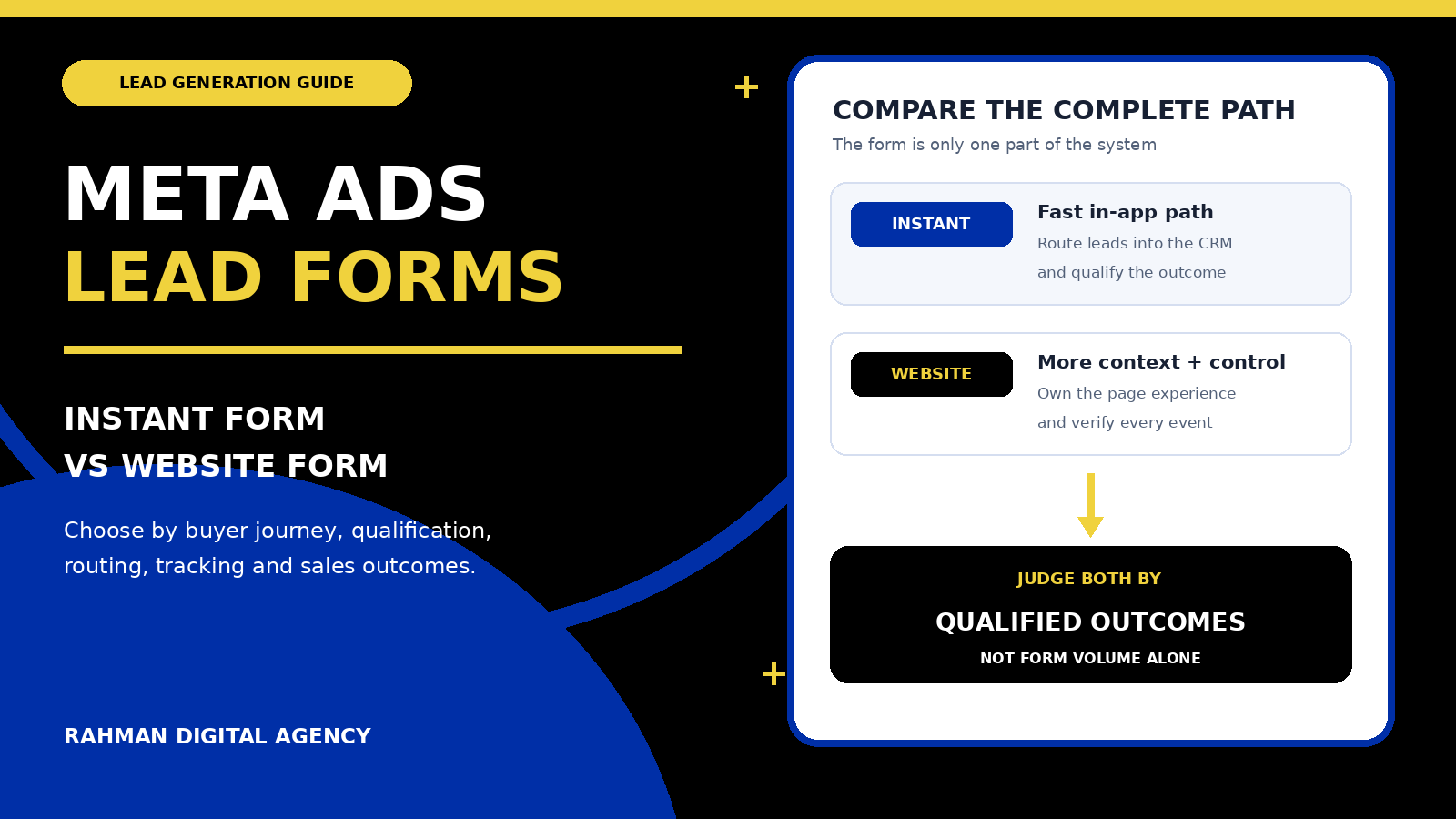
If paid social is part of the acquisition plan, decide whether the prospect should stay in the platform or visit the website. RDA’s guide to Meta instant forms versus website forms compares the two paths. When the website route is chosen, the page and handoff must earn the extra click.
Operational rule: the website team, marketing team and sales owner should be able to trace one test enquiry from page visit to successful submission, assigned record, first response and final status. If any handoff is invisible, the system is not ready to be judged by lead volume.
11. Use a practical pre-launch acceptance test
Message and fit
Confirm the service, audience, location, proof, boundaries and next step are accurate. Check that ads and important internal links land on a page matching their promise.
Mobile and accessibility
Test at narrow widths and on real devices. Check focus, labels, errors, tap targets, contrast, overlays, keyboard use and document-level horizontal overflow.
Forms and handoff
Submit valid and invalid tests. Confirm success, CRM fields, ownership, alerts, spam controls, duplicate handling and a safe failure experience.
Search and measurement
Check indexability, canonical URL, metadata, internal links, successful HTTP status, analytics events and the distinction between starts, clicks and completed enquiries.
Record the acceptance criteria before launch and repeat them after theme, plugin, form or tracking changes. A redesign is not finished when the page looks polished in the builder; it is finished when the public experience and operational path work.
12. Decide whether to improve, rebuild or add a focused landing page
Improve the existing site when the architecture is sound and the main problems are specific: unclear copy, weak proof, a confusing form, poor mobile spacing or incomplete tracking. Small, measured corrections are often safer than replacing everything.
Rebuild when the template prevents important mobile, accessibility, performance or editing requirements; service pages cannot be organised clearly; integrations are unreliable; or maintaining the current system costs more than replacing it responsibly. Preserve useful content, URLs and measurement during the transition.
Add a focused landing page when a campaign has one distinct audience and offer that the general site cannot explain without distraction. The landing page still needs truthful proof, useful context, a working handoff and a place in the wider site. It should not become a disconnected promise that sales cannot fulfil.
Frequently asked questions
How many pages does a lead generation website need?
There is no universal number. Build enough distinct pages to explain important services, audiences and proof without splitting one intent across thin pages. A small service business may need a focused homepage, several service pages, relevant proof, about, contact, privacy and supporting guides. Complexity should follow customer decisions, not a package quota.
Should every page have a contact form?
Not necessarily. Every commercially relevant page should offer a clear next step, but that may be a form, message, call or link to a dedicated contact journey. Repeating a long form after every paragraph can reduce clarity.
Is WhatsApp enough for website lead generation?
WhatsApp can be an effective primary action for suitable mobile audiences, but preserve another accessible contact route and explain what information to send. Test the prefilled message, mobile link and desktop behaviour, and make sure a floating control does not cover content.
What should a service-business form ask?
Ask for contact details plus the smallest set of fields that changes fit, routing or the first conversation. Typical examples are service needed, location, business type, current problem and preferred contact method. Explain sensitive questions and move detailed discovery to the next step where possible.
How do we know whether the website is generating good leads?
Track confirmed enquiries, then connect them to contactable, qualified, progressed and won outcomes. Review the path by service, landing page and source while excluding tests, duplicates and spam. A rising form count without useful sales outcomes is not enough.
Authoritative references
- Google Search Central: SEO Starter Guide
- Google Search Central: Technical Requirements
- Google Search Central: Core Web Vitals
- W3C: Web Content Accessibility Guidelines (WCAG) 2.2
- Google Analytics: Recommended events
- Google Tag Manager Help: Form submission trigger
- Google Ads Help: Enhanced conversions for leads
- Google Ads Help: About Quality Score for Search campaigns
- OWASP Cheat Sheet Series: Input Validation
Need a website built around qualified enquiries?
Rahman Digital Agency can review your page structure, mobile conversion path, forms or WhatsApp journey, and measurement setup, then recommend a practical scope for improvement or redevelopment.